Category: Activities

  • Tips for Replacing A Garage Door Opener

    Tips for Replacing A Garage Door Opener

    At our house I do a lot of our home maintenance and repair. I know my limits, but for the most part I like to do things that one person can handle. When our garage door opener stopped working last month, I did a bunch of research. I watched several how to videos, and I replaced our garage door opener with a new one. Here are a few things I picked up through the project.

    Can you replace a garage door opener yourself?

    If you are reasonably handy, replacing a garage door opener can be done in about a half a day. Key questions to ask: Can you (or do you want to) follow 35 pages of instructions? Can you lift 20 lbs over your head? Do you have screwdrivers, a few crescent wrenches, wire strippers, a level, a step ladder, and cordless drill? All together it took me 3 hours to do the install. It helps if you are replacing an opener because some of the brackets can be reused. That saves some time.

    The stores where you can buy an opener can find you someone to install them too, so that is an option if you don’t have the time, don’t have the tools, or just want someone to handle it. If I didn’t have time to do it, I would have found someone who does this a lot to put ours up.

    This is a picture of the old opener coming down. It helps to have a small work bench to lower it using the hinges at the wall above the garage door.
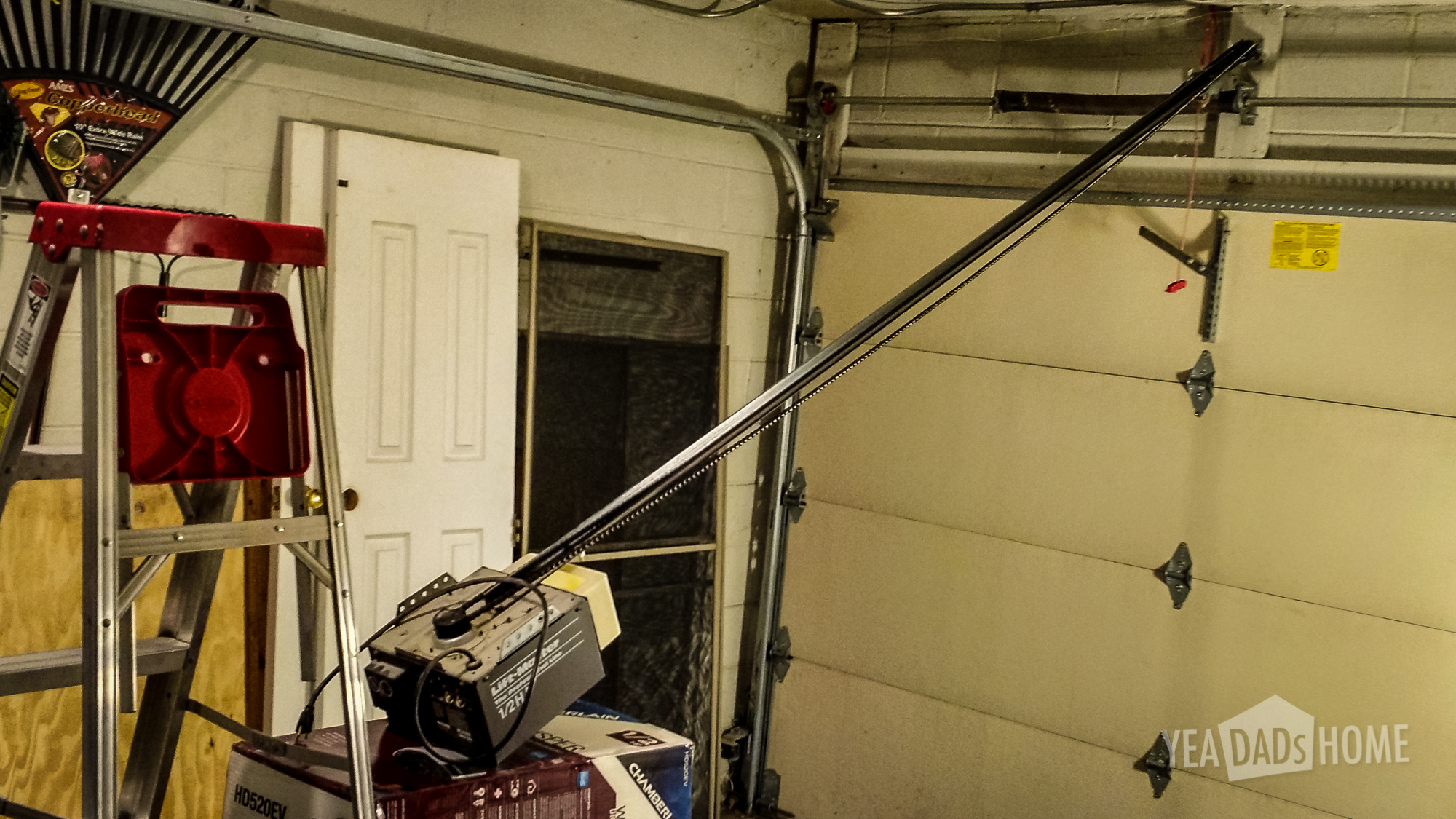
    replacing a garage door opener--3


    What garage door opener features should you consider?

    Like a lot of products, it is hard to tell what features you really need. The packaging is filled with writing, and they have all sorts of trademarked terms on them. I had to do a bunch of digging to figure out what was really different or useful when I compared models. Here are the ones at the top of my list.

    Low Noise

    We wanted something that was quieter than the old opener we were replacing. Maybe it was getting louder as it aged, but it would shake our kitchen as it closed.

    From what I had read and from talking to the staff at Home Depot a belt drive model is quieter than the chain type. Right off the bat this limits the number of models to consider. Only half of the openers I could purchase were the belt type. By belt drive they mean that the opener uses a reinforced rubber belt to move the door up and down.

    After using our for a few weeks, our new belt drive opener is definitely quieter. It doesn’t make the clanking sound our old chain drive opener. It also doesn’t shake the house like our old one did. I did also use some garage door grease in the hinges and the wheel axels. I didn’t notice until the new opener was in place, but both of those were squeaking quite a bit. Just make sure not to put grease in the channel that the wheels ride in. The grease or lube as they call it is only intended for the hinges and axels.
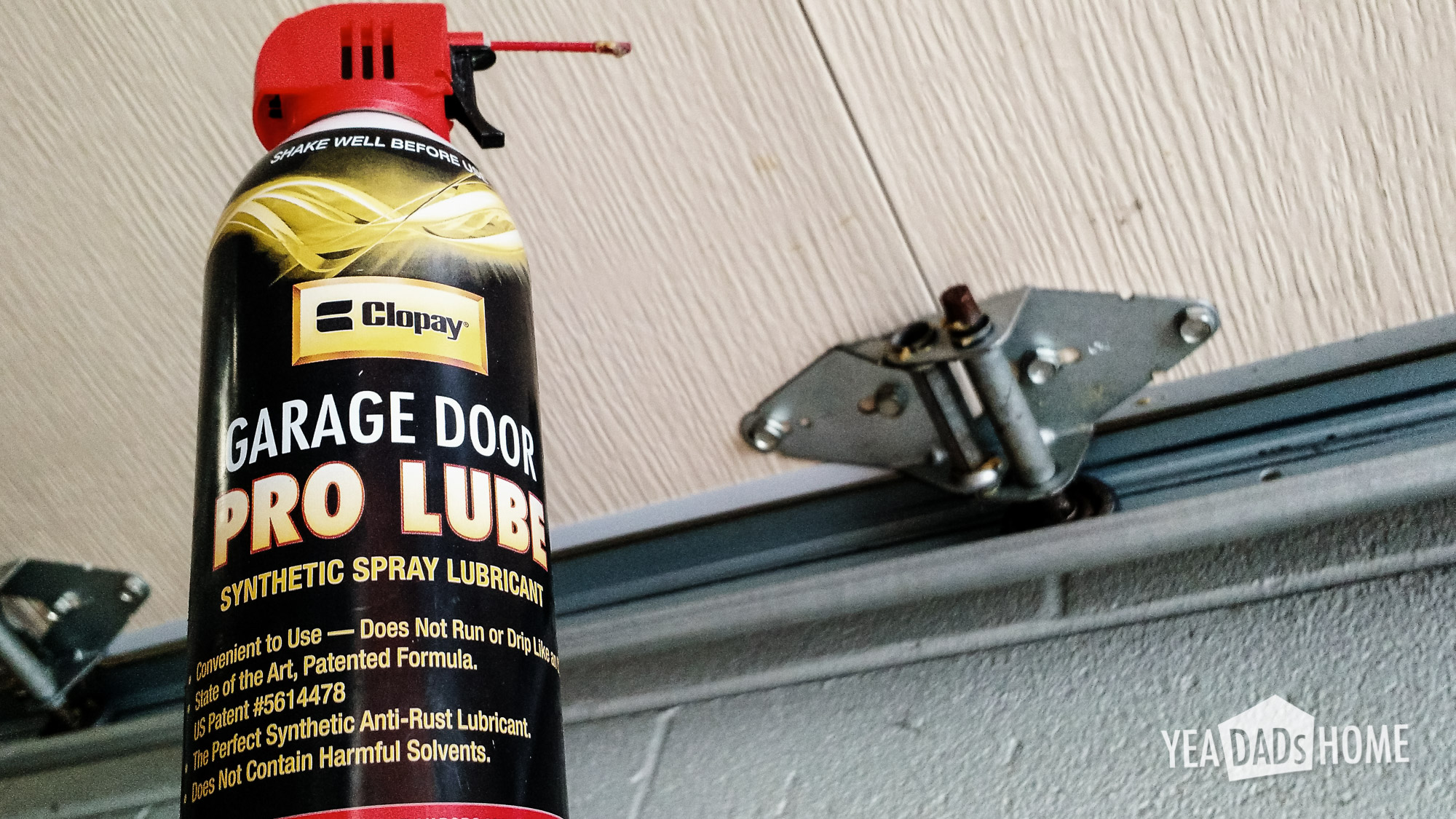
    Garage Door Lube

    HomeLink

    We prefer to use buttons built into our car for opening and closing, and the technology for that is called HomeLink. Figuring out whether your car is compatible with a new garage door opener isn’t as easy as it used to be. We were lucky to have just replaced our car, so our new opener worked with our car.

    Just being HomeLink compatible doesn’t ensure a new garage door opener will work for your car. You have to know whether the version of HomeLink in your car is compatible. I read a lot of angry reviews on the Amazon and Home Depot websites. It sounds like a lot of people got burned by this, and any car older than 2012 will likely use an old version of HomeLink. Even some cars made in 2013 are still using that “old” HomeLink version. There is a HomeLink browser tool that is supposed to answer this compatibility question, but it gives you a rather unhelpful message like “try it. Call if it doesn’t work” way too often.

    To use the in car buttons for an “older” car, you need to install a repeater that translates between car and the garage door opener. The garage door opener manufacturer can help you figure out which parts you need to make your set up compatible with your car.

    Remote Keypad

    We have a keypad outside the garage just in case we get locked out or if we don’t want to carry keys as we go running.

    Most openers come with a keypad bundled with their openers now. If your opener didn’t come with a keypad, there are several available to add later. Like the built in buttons in your car, you need to make sure that your keypad is compatible with your garage door opener. So it is probably best to find a model with a keypad bundled with the opener.

    The garage door opener we bought included a keypad that was also pre-programmed, so all we had to do was pick the secret code that we wanted to use.

    Timer to Close

    Sometimes we forget to close the garage door. It doesn’t happen a lot, but it happens. Usually it is summertime and someone goes out the garage and comes back in through a different door. There have even been a few times when we left the door open overnight. Luckily that didn’t become a problem. Squirrels cold have easily gotten into our bird seed or set up a nest. Also we know people who have had things stolen when their garage was left open. So “auto closing” is something that we really want to have.

    A feature that prevents a garage door from being left open accidentally is called Timer to Close or TTC. That might be a Chamberlain specific name. To use it you set the amount of time that the door should stay open. Once it hits that time it will beep and close. We have ours set for 10 minutes.

    If you really needed the garage open for longer, it is easy to disable the feature from the control panel. Also the door won’t close if something is blocking the sensors. This morning as I was cleaning snow off the driveway I heard the door opener beep to indicate it was going to close. Breaking the beam of the safety sensors at the bottom of the door causes the opener to stop beeping and timer to reset. Also the keypad outside the garage door will let us open the door if it does close automatically.

    Before we found this feature built into the garage door opener, we were thinking of installing a product called Garage Butler that does the same sort of thing. It closes the door after a set amount of time.

    Home Automation Features

    My first thought wasn’t to make the garage door a part of an elaborate home automation system, but I do find some of the new features helpful.

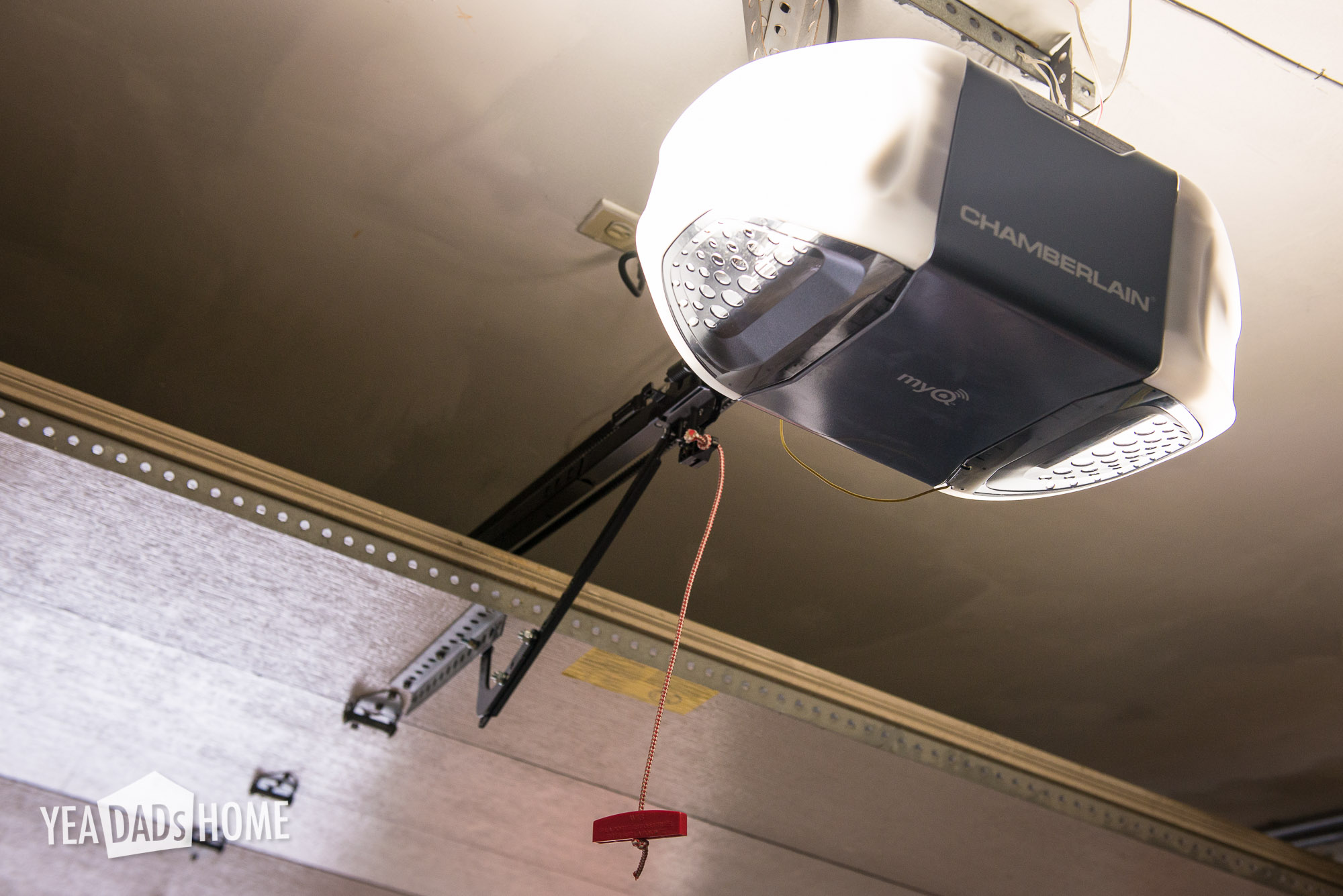
    The Chamberlain model I bought alerts me when the garage opens. That can be handy if you are trying to keep track of when people are coming or going. We use it all the time now. I will probably keep it on since it isn’t too many alerts. Either way I would definitely turn it on if we are traveling.

    We have a opener model that also lets us open or close the garage door from our smartphones. At first I didn’t think I would need this. It turns out this feature is handy. Having one of the clicker remotes in your car can be a problem. We have seen people get their car windows broken when someone wanted to steal the clicker, so we try not to leave one in ours. If we rent a car, or use a car share, we used to have to take a garage remote with us and remember not to leave it in the car.

    This app is a better way to open the door. The app is faster to use than to typing the secret code on the remote keypad we have outside the garage, so we prefer the app over the keypad when we are running or biking. In the future I am sure we will use it to let relatives into the house if they get there before we do. Before we would text them the code and explain how to type it in on the keypad, but now we can just open the door as they get to the house.

    More complex home automation functions are possible. Sometime soon I will get rid of the old school light timers that we use to turn lights on at night. We have been using the plug in kind, and I am so frustrated with them. They are made super cheaply. Walking through Home Depot you see big displays that show companies working together to make home automation happen. Having a garage door that can trigger other things might be useful. I haven’t decided when we will set things up so the garage triggers changes to the lights or adjustments to the thermostat. It is good to have the option. My last garage door opener lasted for 10 years, so I am sure we will have that sort of home automation before I replace our new garage door opener.

    The following video describes the smartphone app that we like. You can skip to about 2 minutes in to get past most of the install steps and see the app in use.

    Automatic Lights

    Ours has a sensor that turns the lights on when it detects motion in the garage. So if we open the door from the house it turns on the lights. It also turns on the lights as someone or the car trips the safety sensors at the bottom of the door. We used to have to turn the lights using a switch, but the garage opener lights works pretty well with the sensors.

    Parking LASER

    Some garage door openers have an accessory that will shine a red dot on your dash to help you park. It can be wired into into the opener and turns on as you drive into the garage. You point it to a spot on your car’s dash. Each time you drive into the garage you try to line your car up so the LASER points to that same spot on the dash. We bought this to try it out. I am still deciding whether I like it. We aren’t ready to ditch the 2x4s yet that stop the tires yet.

    Battery Backup

    We didn’t actually get a unit with this feature. Our power doesn’t go out very often. I can think two times in 15 years that I would have used battery backup. It may be worth the money if your power is less reliable though. I did read that if you have to use a repeater because you have the “old” prior to 2012 Homelink in your car, battery backup doesn’t work. The repeaters don’t seem to have their own battery backup.

    What brand of garage door opener should you buy?

    I looked at a bunch of reviews, and it seemed a lot internet research was biased. Someone was sponsoring the writing or they had an agenda, so be careful about that. Full disclosure….I am not being paid to write this, and I bought my own garage door opener.

    My big takeaway was that there are only really two companies Chamberlain and Geenie that make garage door openers in the US. Chamberlain also makes Liftmaster and they make the Craftsman branded ones for Sears.
    replacing a garage door opener


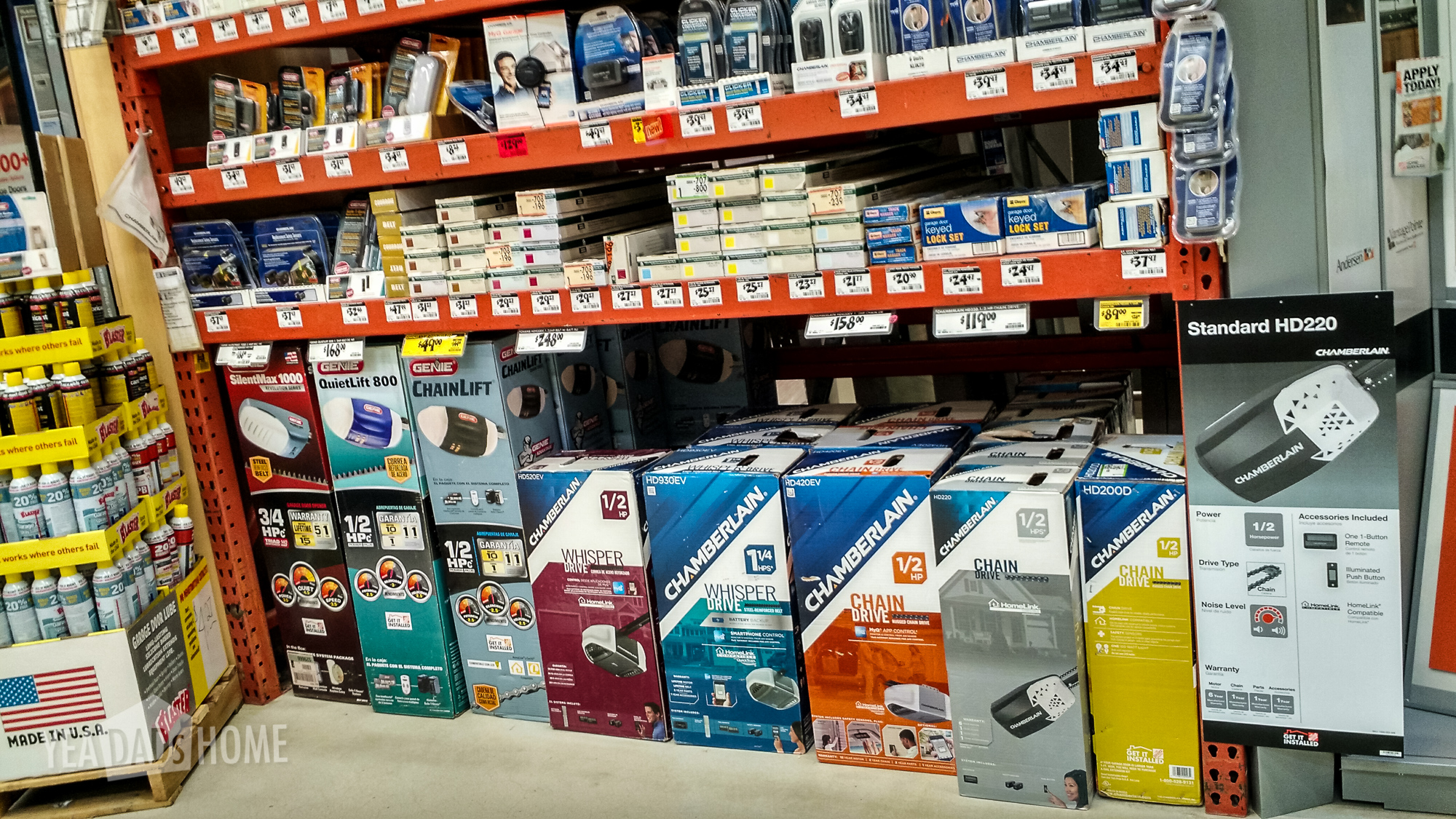
    I went into Home Depot and this is a picture of the selection. You can see four belt drive and five chain drive models. When I went in I was looking for a Geenie, mostly because I thought I wanted something basic. I also liked their how to videos. They have one that shows you all the steps. I have that one embedded below. After talking with the Home Depot staff, I came home with one of the two Chamberlain belt drive models. The info from that changed my decision was that it was easier to find replacement parts if you need them for the Chamberlain units. and they had a good number in stock. Also the Chamberlain openers have some useful Smart Home features that I might want to use, like the smart phone app and the hooks for home automation.

    So what did I buy?

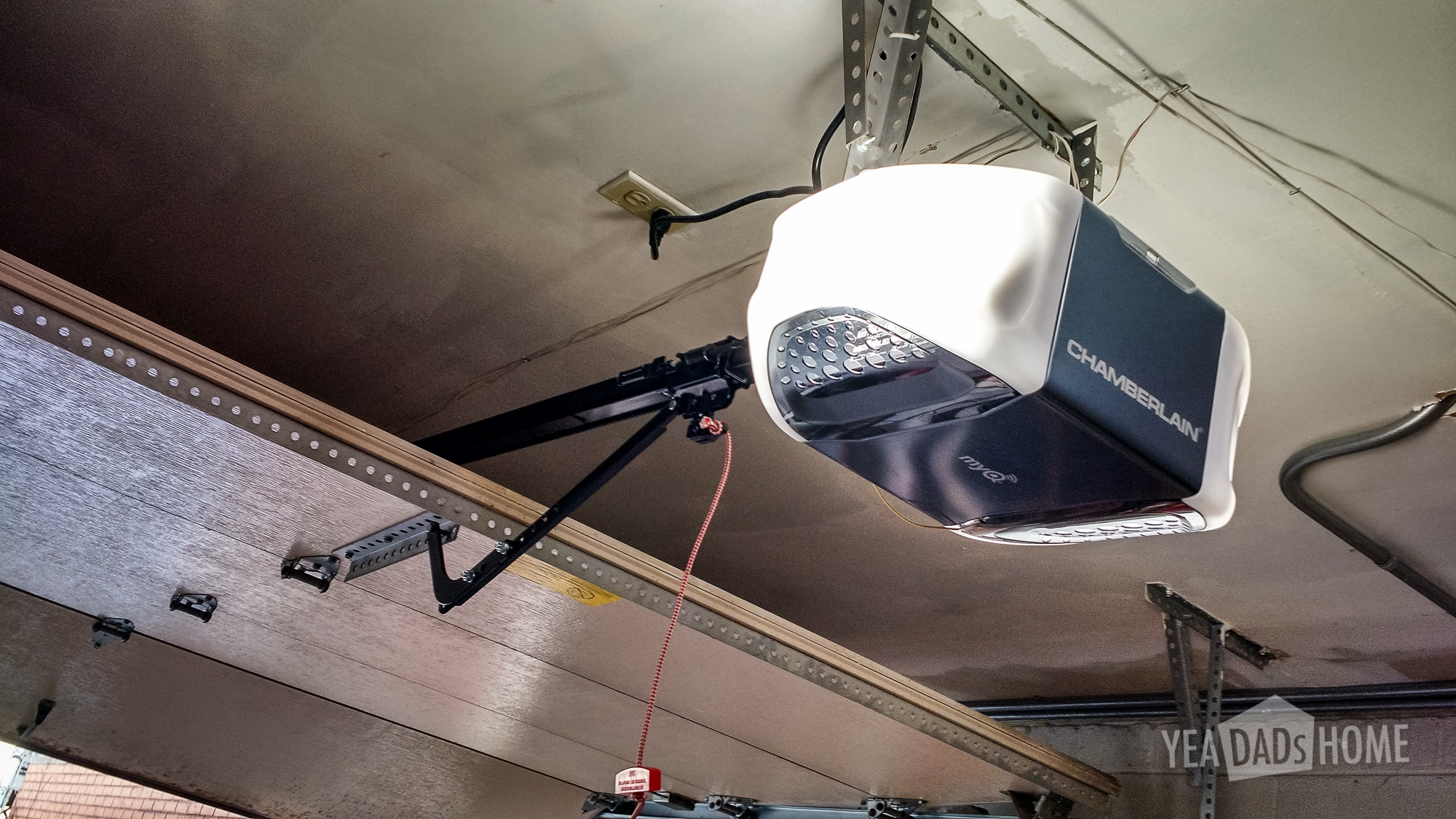
    Chamberlain ½ HP Belt Drive Garage Door Opener HD530EV $188

    This was available at Home Depot. They had one more belt drive model with a bigger motor and few chain drive models. I picked a belt drive models because those are supposed to be fairly quiet. You still know it is working, but the belt drive is a big improvement over we had.
    replacing a garage door opener

    Chamberlain Internet Gateway CIGBU MYQ $42

    The gateway adds the capability to open and close from your smartphone. It also will allow for other smart home functions.

    Liftmaster Smart Control Panel 880LM $26

    I really wanted Timer to Close, and this control panel was required to make that work. I read the garage opener instructions before buying it and found all sorts of Timer to Close writing. It turns out that all of that was from the legal team. I learned a lot of don’t do this and don’t do that. It doesn’t tell you how to turn it on though. That’s because the control panel (wall clicker) that comes with the HD530EV opener doesn’t support the feature. I called Chamberlain and they gave me this LiftMaster part number. It was easy to install and does the trick.

    Note I did also try installing the Chamberlain Internet and Smartphone Connectivity Kit aka CIGCWC. That says it will add timer to close and enable the smartphone features. It turns out that the control panel included in the kit isn’t compatible with the HD530EV opener. I returned that CIGCWC kit and replaced it with this part and their Internet Gateway.

    What should I have bought?

    So the total of the pieces I bought was $256. It turns out that there is another model that includes all the accessories I bought. The HD930EV has the Internet Gateway, has the Timer To Close feature, it has a battery backup, and is 1 ¼ HP. That is more power than my door needs, but more wouldn’t hurt. That one sells for $248. So of the two Chamberlain belt drive models, this was the only one with all the features we wanted. If you are replacing your garage door opener, I would recommend the HD930EV model or whatever they replace it with. You save a bit of money compared to the cheaper model once you add in the accessories. More importantly you won’t have to call support lines to check compatibility or spend time returning incompatible accessories.

    2015-06 Update

    A new set of garage door openers are on the shelf at Home Depot. They now have models that include WiFi and eliminates the Internet Gateway that ours uses. The HD750WF is a 3/4 hp model and the HD950WF is a 1 1/4 hp model. Both have the timer to close and smartphone control functions that we really like.

    Please let me know if this info is helpful.

    References

    These videos give you an idea of how the opener goes up.

    Screw drive models aren’t easy to find, and their reviews are poor. I do like this video though because it shows the major steps in installing a garage door opener.

  • Lego Zip Lines

    Lego Zip Lines

    A while back we got a set called Lego Crazy Contraptions. I love the set because it is more than a single purpose set. It has a book with 16 designs and the Lego parts that you use to make them. By far the idea that was the most fun for us were the Lego zip lines.

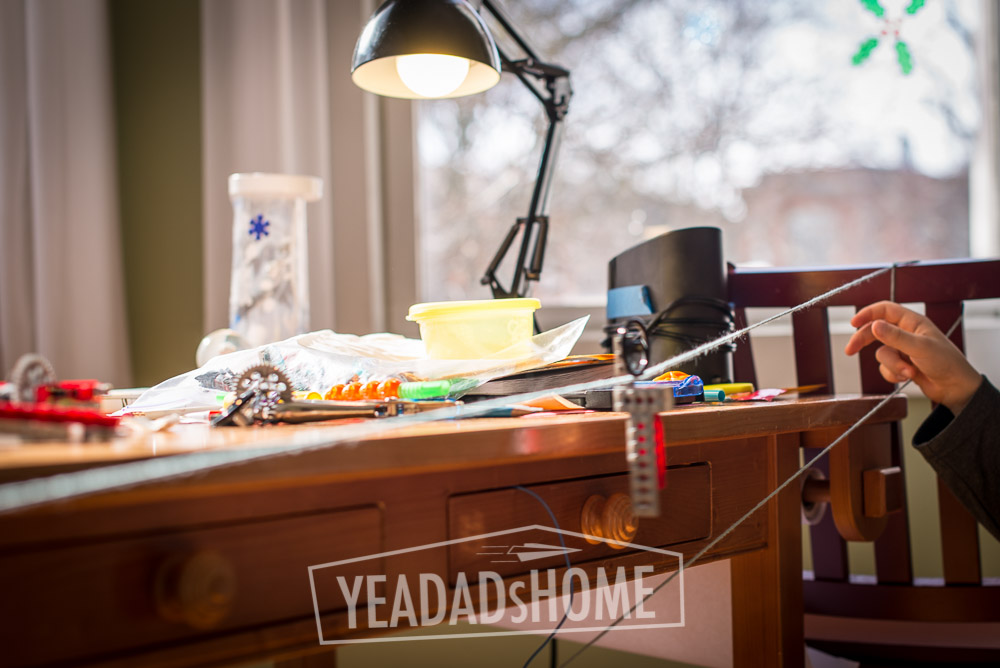
    Zip lines start with a string that you tether across the room. One side has to be higher than the other. Finding the right amount of incline is part of the fun.
     

    Zip Line Machine from the Lego Contraptions Set


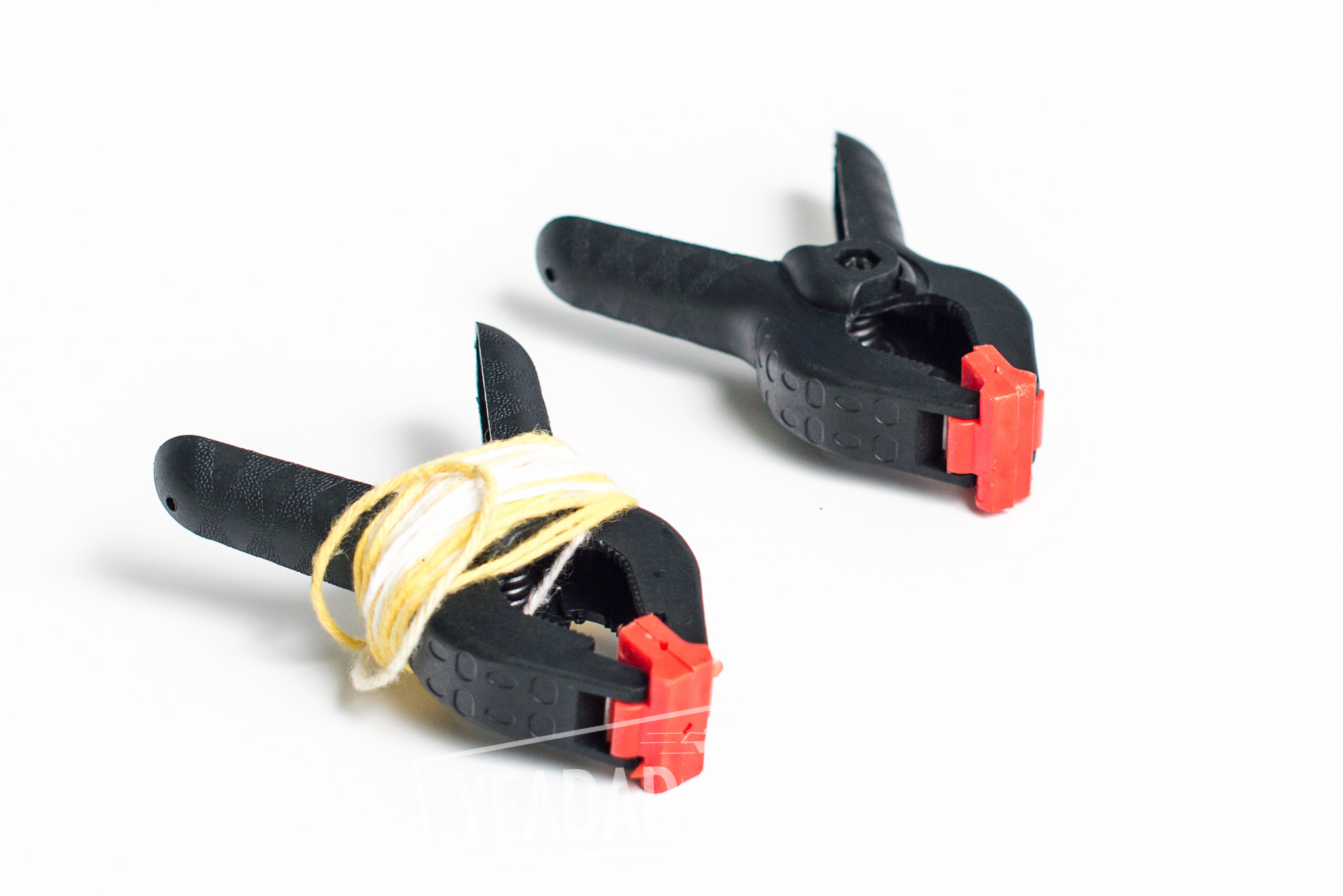
    You can tie knots at the ends of the string. I use plastic clamps that I had in the house. They are easier to adjust. Also at the end of the day we can wrap the string up to use another time.


    Lego Zip Lines-3133


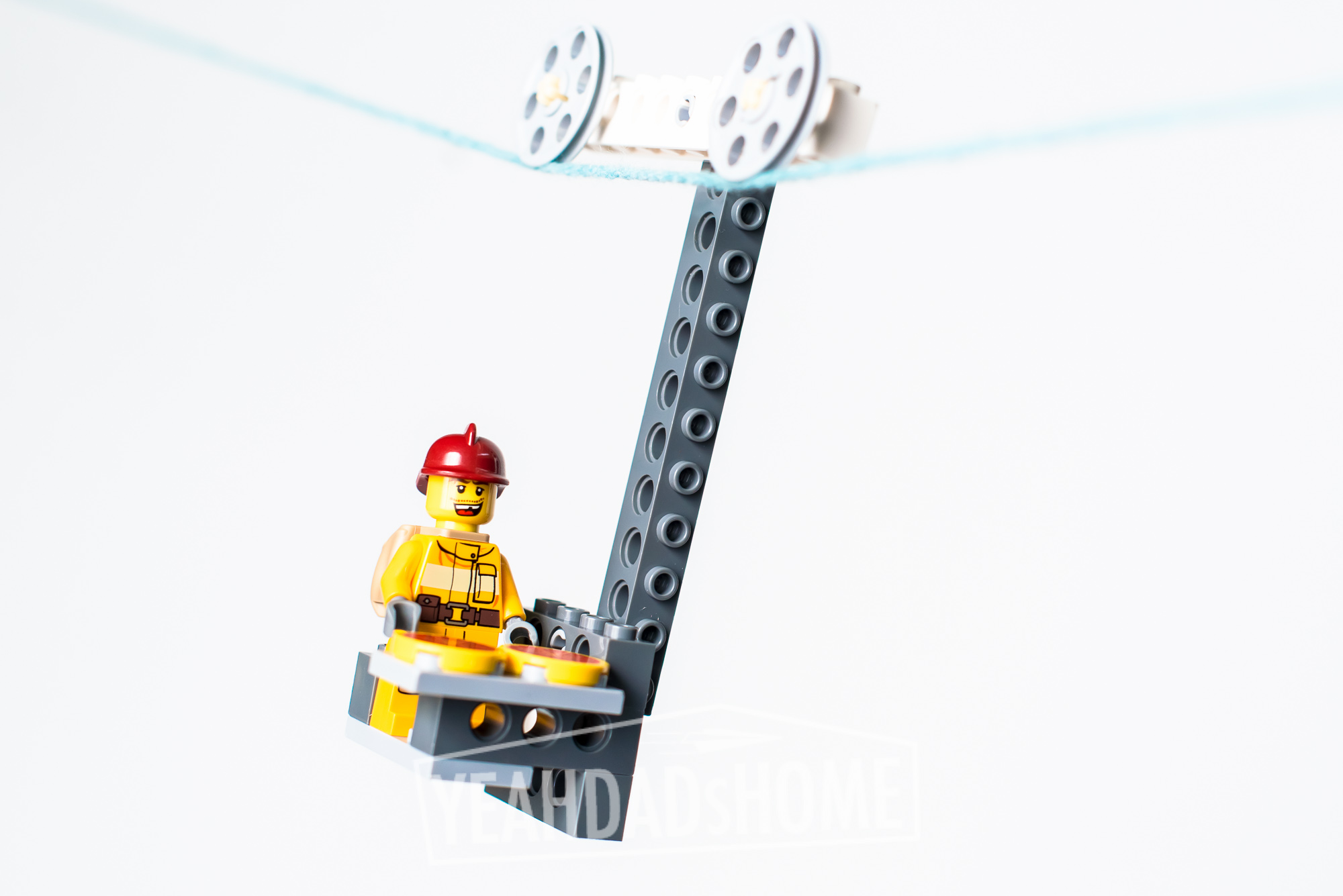
    To build a machine to travel on the string, you need at least one wheel and some technic pieces to add weight so that the vehicle balances. It can take several experiments to get the balance right. If you string is over a hardwood floor, the vehicles can crash in pretty dramatic fashion too.

    Once one vehicle makes it all the way across the line then we like to try all sorts of variations. We’ve tested whether big wheels are faster than smaller wheels. Does more weight make the vehicles go faster. A stopwatch helped with that experiment. My favorite is to throw down challenges for my builder. Can you transport Emmett down the line? How about Emmet and his friends? Of course the all should wear helmets. Can you deliver pizza? What about getting a wacky firefighter to deliver a pizza? Like I said it can take a while for any of those because of the rebuilding after crashes.
     

    Lego Zip Lines-3122-2


    Zip lines inspire all sorts of creative building and experimentation. That was the Lego experience I enjoyed most as a kid. It is fun to see my son enjoying Legos like that too. Test this one out and let me know what challenges you enjoy the most.


  • 7 Tips for Buying Your First RC Truck

    7 Tips for Buying Your First RC Truck

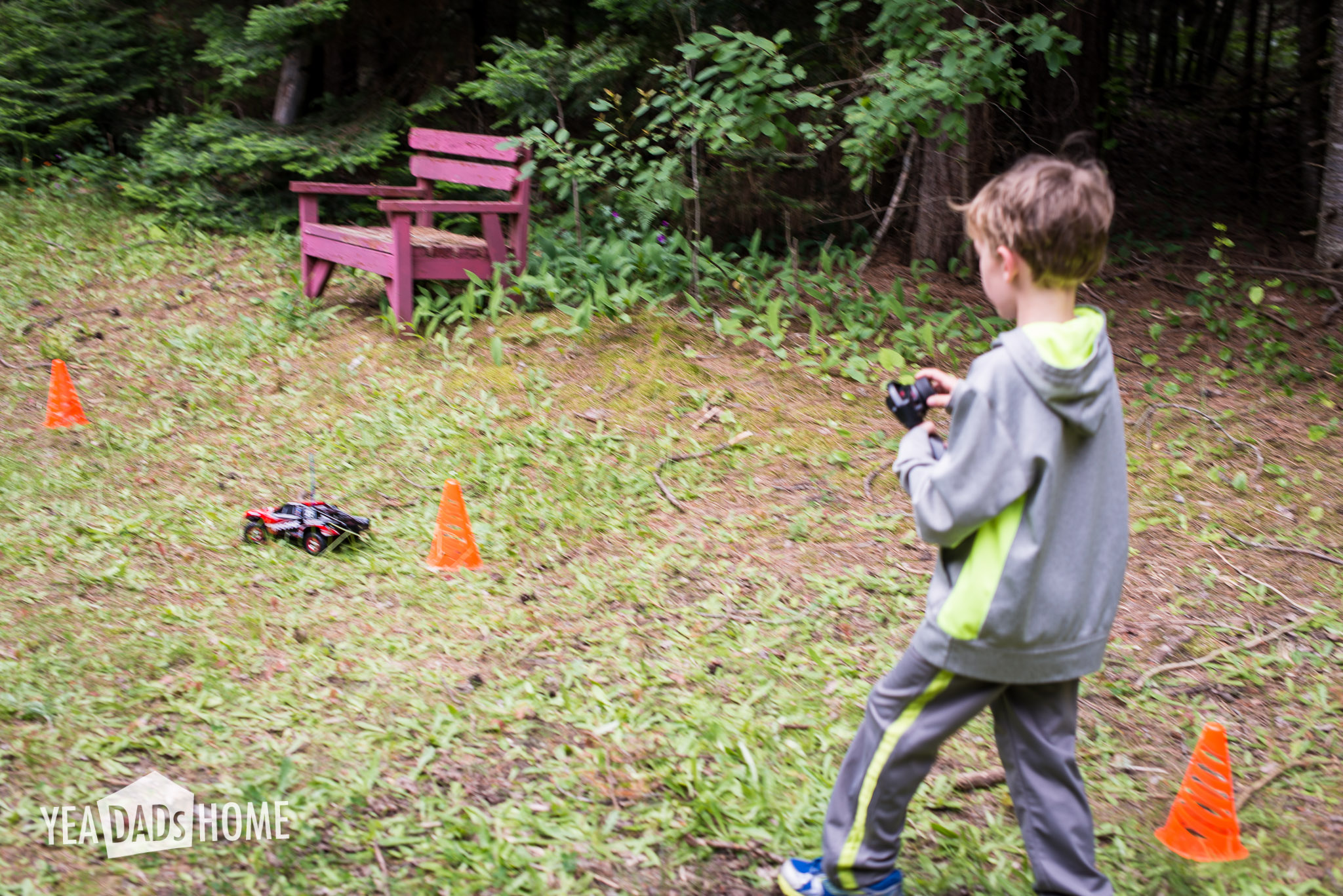
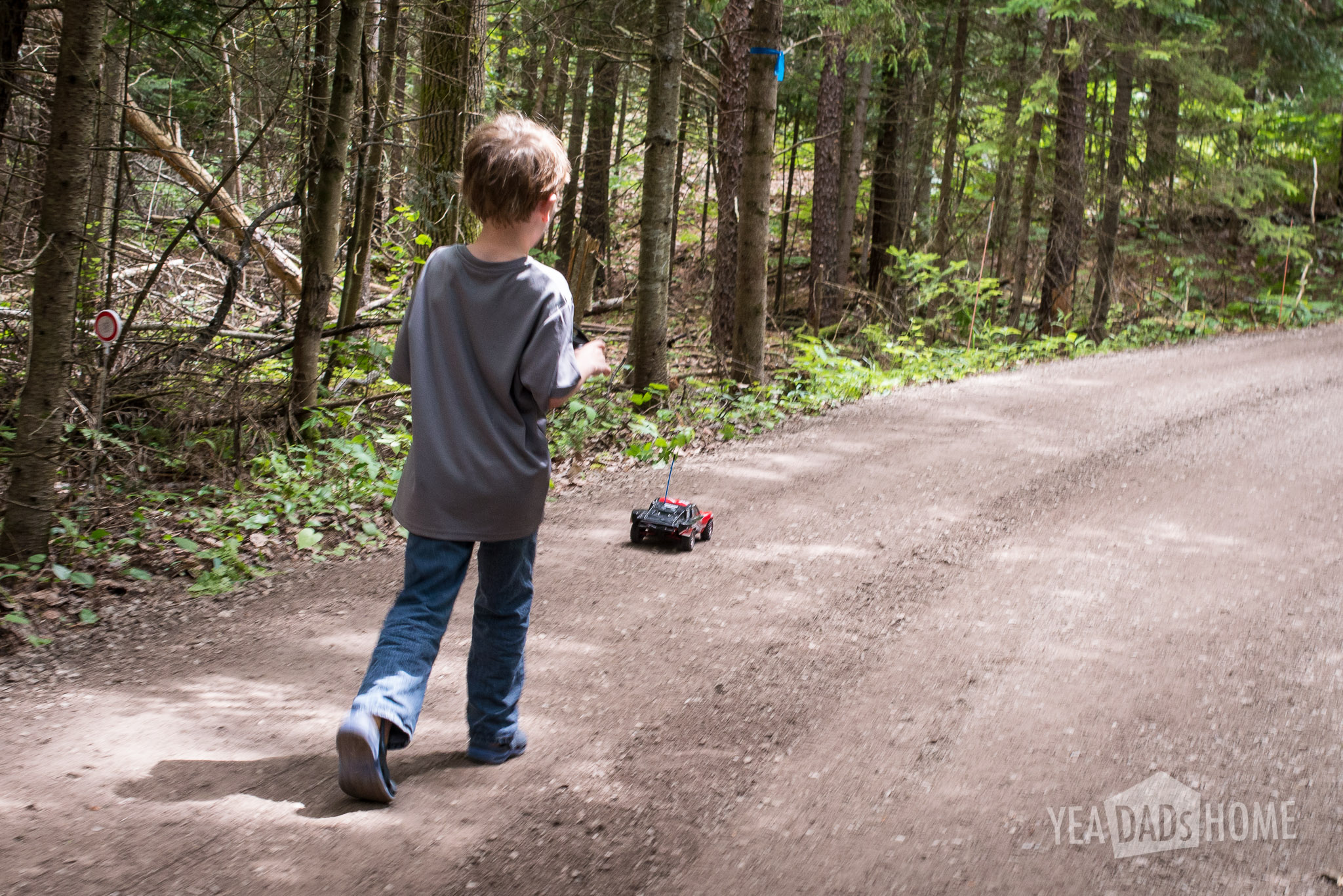
    This summer we decided to buy an RC truck for our son. He is at the right age for it, and we wanted some fun things for him to do outside vs watching TV or playing video games. We have played with ours for a few weeks, and it has a been a huge hit. Here 7 tips for buying your first RC truck that I picked up as I did my research.


    First RC Truck-2190-2


    Tip 1 – Pick One That is Easy to Drive

    We wanted a starter RC that would be fun to drive. This is harder than you would think. Maybe we aren’t the typical customer, because most of the reviews and advice that we found were focused on adults that wanted to make their truck go fast. We aren’t planning on racing, so we didn’t need ours to go super fast. We didn’t need nitro or gas. We picked one that has a “brushed” electric motor which was fast enough for us. It also has a mode that slows it down to make it easier to keep out of trouble. Some day if we want to go faster, we could switch it out of the slower training mode. Also the model we chose could be upgraded to a “brushless” motor if we wanted to make it faster.

    First RC Truck-2192-3


    Tip 2 – Look for RTR Models

    We didn’t want to build the truck. That might be a good project in a few years. For this first vehicle we wanted to take it out of the box and drive it. That kind that are labeled Ready to Run (or Race). The RTR type are already put together. You still need to make sure they come with a remote, batteries, and a decent charger. Ours came with a remote that we could use on a different car someday if we wanted to build a truck.

    First RC Truck-2462-2

    Tip 3 – Consider Durability & Repair

    Since we wanted to use the truck around our house in the woods, we wanted one that would work on dirt roads and trails. The model we chose has sealed electronics so it won’t get trashed if we drive it through water. Also I don’t like disposable things, so I wanted to know that we could buy extra parts if you needed to fix or upgrade something like suspension, tires, motor, servo, bodies. Some models have a community that shares info about which ones are solidly built, and they also have forums and youtube videos that show you how to make repairs and upgrades.

    First RC Truck-2251-12


    Tip 4 – Scale, Brand Names, and Accessories Affect the Price

    Price wasn’t my biggest concern. I would rather pay for something that will last a few years than a disposable piece of junk that lasts a few months. Still I was trying to keep the price under control. What we found was that the price on the box is just the start. You had to add batteries and a decent charger to most of the RTR truck kits. Another factor that seemed to make a difference was licensed brand names. If you buy a RC truck that looks like a Jeep or a Ford Truck for instance, you pay extra because they have to pay Jeep or Ford. In some cases it seemed like it cost about $50 to make it look like one of those brands. Also the scale of the vehicle made a big difference in the price. Bigger trucks were more expensive.


    Tip 5 – Pick Something Large But Not Too Large

    We wanted something that would work on trails and dirt, so we looked for something that was big enough to clear a few bumps. We also want to be able to pack it in the car during vacations. Some of the larger scale trucks are pretty big. We measured the 1/10 scale and thought that would take too much space in our packed car. In some cases the larger scale was about two times as expensive too. So we decided on the smaller 1/16 scale version. It works really well on dirt, some grass, and pavement. The smaller size does have it’s drawbacks though. For one it has trouble running through lawn, especially if the grass is wet and the tires lose traction. Since dirt and trails were our focus, the 1/16 worked for us.

    First RC Truck-2219-3


    Tip 6 – Make Sure You Have Enough Batteries

    If a ready to run truck or car comes with batteries, they still probably won’t be enough to have fun. It seems that for cost reasons most kits only come with one low capacity battery.

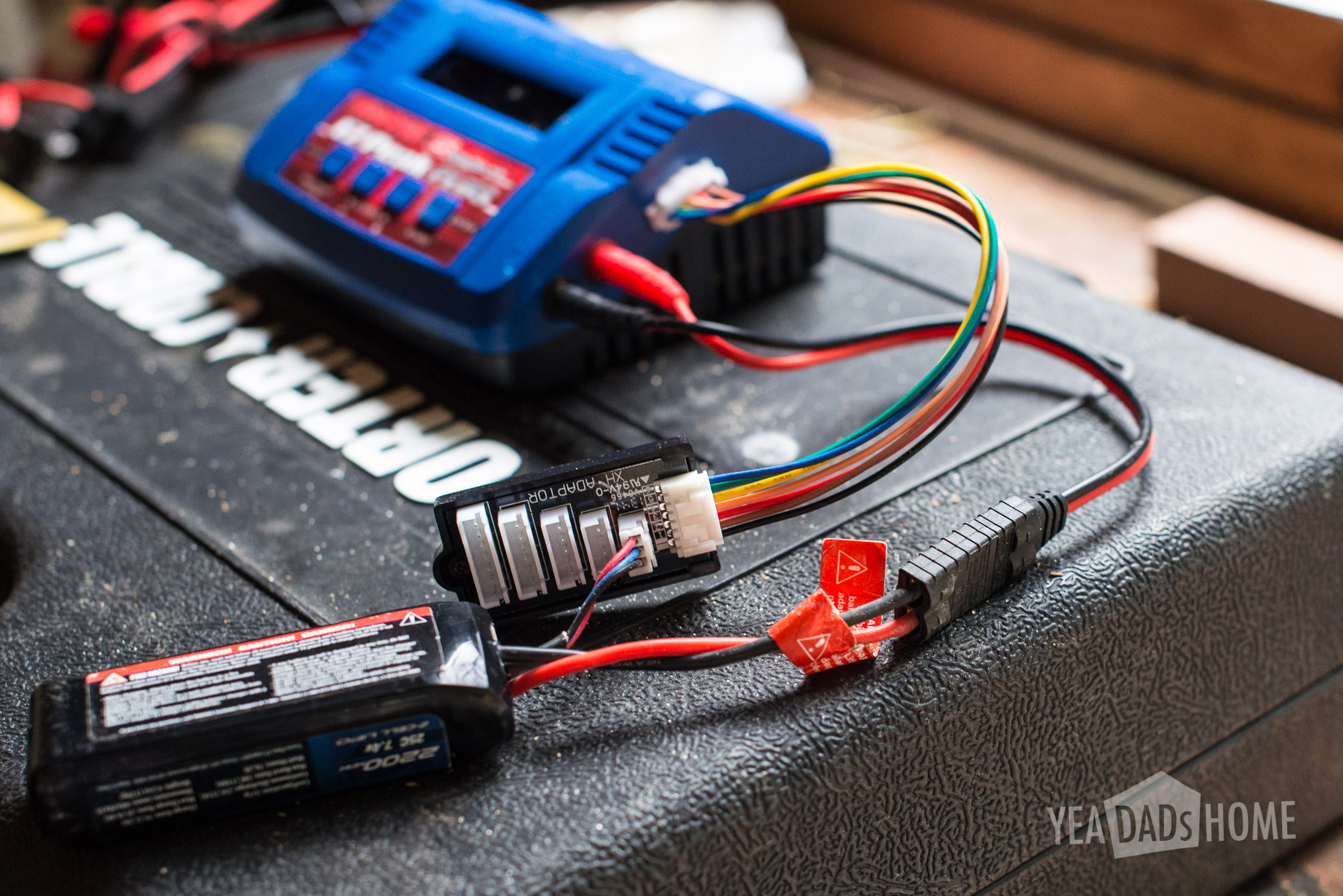
    We bought two high capacity Lithium Polymer (LiPo) batteries (2200 mAh vs the 1200 mAh NiCad included). The high capacity batteries has nearly twice the capacity, and that allows us to use our truck non-stop.

    We install one battery at a time, although you could put two in if you wanted. We bought a special Y adapter harness that would let us install two batteries. We tried that and it is nice, but one battery at a time works for us. We charge one as the other is in use, and I like that a battery swap out means a check in at the house every so often.


    Tip 7 – You Will Want a Fast Charger

    Even if you have enough batteries, the chargers included in a kit may take a really long time to recharge a battery. The manual included with our truck says that it takes 6 hours to charge the low capacity battery. The charger we liked best charged the battery in about 30 minutes. We’ve played with the truck for about two weeks, and I still don’t know how long the batteries last exactly. As long as we have one charging as we play, we haven’t had to stop playing because of charging.

    This wasn’t obvious when I first started shopping, but the batteries aren’t charged when open the box of most RC trucks or cars. That means that as you open the package, you need to charge before you can drive. Since I wanted to make this a fun present, I bought good batteries and a fast charger, and I charged up the set before I wrapped the gift.

    We did have one false start with another type of charger. It was cheaper, but only works on one type of battery. If you mix them up you can ruin your batteries or worse yet start a fire. We learned that the hard way and melted one battery. The cheaper charger was a waste.

    First RC Truck-2455-2


    The charger we bought next and really like works on different battery types. Switching battery types involves changing settings on the charger and the RC truck, so we decided to stick with the same type all the time to keep things simple.


    So what did we buy?

    First RC Truck-2447-4


    Traxxas Slash 1/16

    Amazon sells them and if you have Prime you can get it really quickly.

    Traxxas 70054 Pro 4 Wheel Drive Short Course Truck, 1:16 Scale,Colors May Vary


    Horizon Hobby lets you pick the color. They have the manual posted here too.

    1/16 Slash 4×4 RTR with TQ 2.4GHz, Mark #25 by Traxxas (TRA70054D1)


    Fast Charger

    Traxxas 2933 EZ-Peak Plus 6 Amp LiPo and NiMH Charger


    LiPo Batteries

    25C 7.4V 2S 2-Cell 2200mAh Lipo Batt:TRA 1/16 Modl


    Adapter Used to Install Two Batteries

    Traxxas 3064 Wire Harness, Parallel Battery


    What did it Cost?

    Traxxas Slash 1/16 Scale Truck $199
    Charger $85
    Batteries $40 Each (We started with two).
    Adapter $6

    Total $370


    Which pieces can you use on your next Truck?

    If you buy a kit to build for your next truck, the remote could be used. It is a pretty standard one.

    As you upgrade, you could use the charger for sure. It handles any sort of battery chemistry or size.

    The batteries and battery adapter are specific to this vehicle.

    I suppose you could use some parts like the tires, motor, or transceiver to make a new truck, but it is pretty likely that you will not, so I would say that the parts are specific to this vehicle.


    References:

    Comparison of brands

    This article has some info the brands. My main takeaway was that some may be less expensive, but they tend to be built cheaply and are more likely to break.

    http://www.instructables.com/id/The-COMPLETE-Guide-to-RC-Cars/


    Vehicle Types

    This is a few years old, but this article has good advice on choosing between the types of vehicles.

    We picked a truck vs car because we wanted to use it on dirt and loose rock. If we were going to spend most of our time in a parking lot, maybe we would have chosen a car vs a truck.

    http://www.rcknowhow.co.uk/blog/2011/05/06/5-tips-for-buying-your-first-beginners-rc-car/


    Description from Traxxas

    Traxxas has a description of the truck we bought and the LiPo Batteries that work with it here:

    http://traxxas.com/products/models/electric/70054slash1164x4


    Parts

    Lots of sites have parts for the Traxxas Slash 1/16. Here is one:

    http://www.rcplanet.com/1_16_Slash_VXL_RTR_Truck_Replacement_Parts_s/1903.htm?searching=Y&sort=5&cat=1903&show=180&page=1


    Videos

    Jang from Ultimate RC has a lot of great videos that were helpful.


    Storing LiPo Batteries

    Batteries, especially LiPos will last longer if you take care of them. Not only do you need to set the low voltage detector on your truck, but you also need to unplug them when not in use. We destroyed one of our LiPo batteries by leaving it in the truck. The voltage got too low and it we couldn’t save it. We learned our lesson, and now we take them out and use the “storage” mode of the charger to set our LiPo batteries to a safe voltage.

    http://www.rccaraction.com/blog/2013/12/06/how-to-properly-transport-care-for-and-store-your-lipo-batteries/

  • How We Built Our Treehouse

    How We Built Our Treehouse

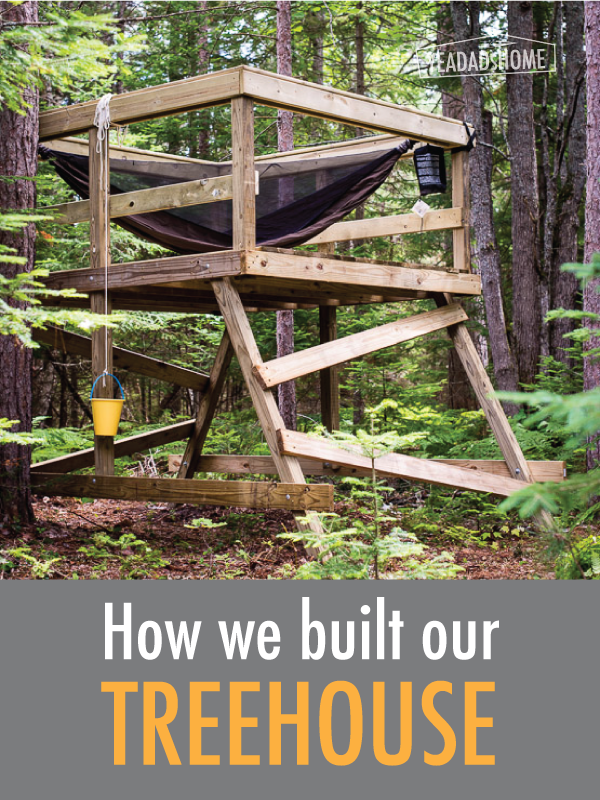
    This summer we built a simple treehouse in the woods near our house. Following is a list of materials and some pictures that we took during construction.


    Disclaimer

    Building is dangerous. It involves power tools, lifting heavy things, and if you do it wrong someone can get really hurt. You should also check you local codes to make sure you are ok to start.


    Treehouse Ideas

    As we started looking at ideas, I found a ton of very elaborate plans. There is even a tv show about building treehouses. We didn’t watch the show since I wanted to keep kid expectations in check. We wanted to build this in under a week so we had plenty of time to use it, and although I wanted my son to help, I was really doing the major construction by myself.

    Overall I wanted to make sure we had something safe that at least a few kids (and adults if allowed) could enjoy at the same time. We have a lot of really big trees on our property, so I wanted to make sure you could look all the way up in to the treetops. I didn’t want my construction to damage them. To begin I thought of building on one or two trees like these sites show.

    http://www.wikihow.com/Build-a-Treehouse

    http://www.instructables.com/id/How-to-build-a-treehouse/

    Looking through these and a several others, I learned that building in a tree requires a solid tree and heavy duty hardware. If you use two trees, you really need to let the second tree move. So good designs solidly attach the beams to the first tree and then brace the cross pieces on the second. Those braces should have metal over the wood that lets the cross pieces slide as the trees move.

    As I read more, I decided not to attach to our trees. I looked for something that didn’t have to sway with the trees. I found a really cool freestanding design. It looked sturdier, and like something I could pull off in a reasonable amount of time. It could easily fit in a clearing near a few of our big trees. This design also didn’t require digging post holes or using quickcrete, and that would save me some time.

    http://www.theclassicarchives.com/how-to-guides/free-tree-house-wood-plans


    Treehouse Design

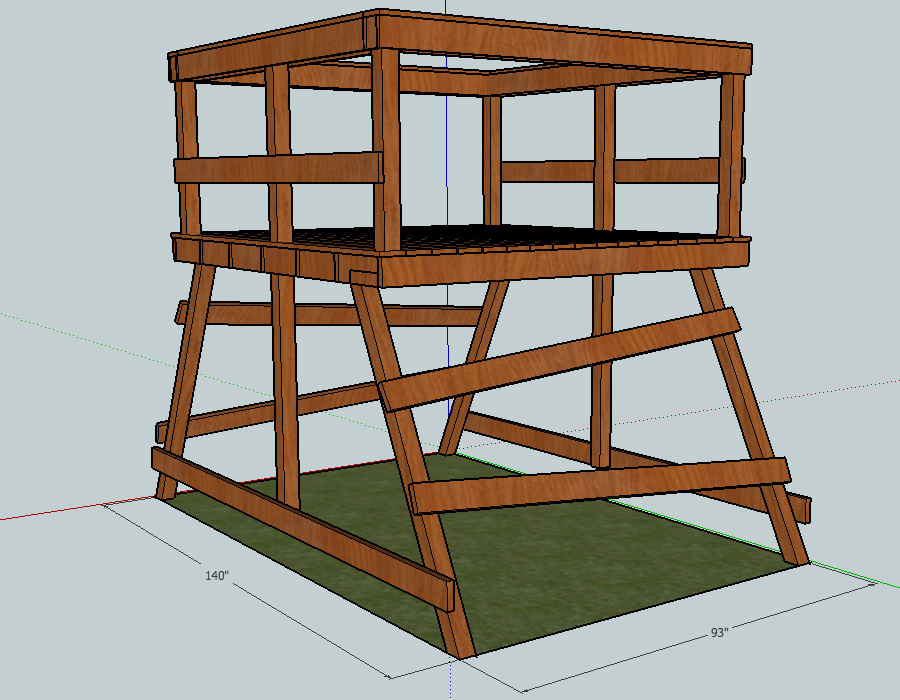
    To refine my ideas I used a free 3d design program called “Google Sketchup Make.” My design included a platform about 6 ft from the ground like in the freestanding design above. I did cut the platform size to 8 ft x 8 ft. My thinking is that this is plenty big for kids to play on and it will hold a small tent or hammock. I know that I can lift 8 ft boards, and that it would be hard for me to lift the structure if it had 12 ft boards.

    Treehouse Design in Sketchup
    Treehouse Design in Sketchup

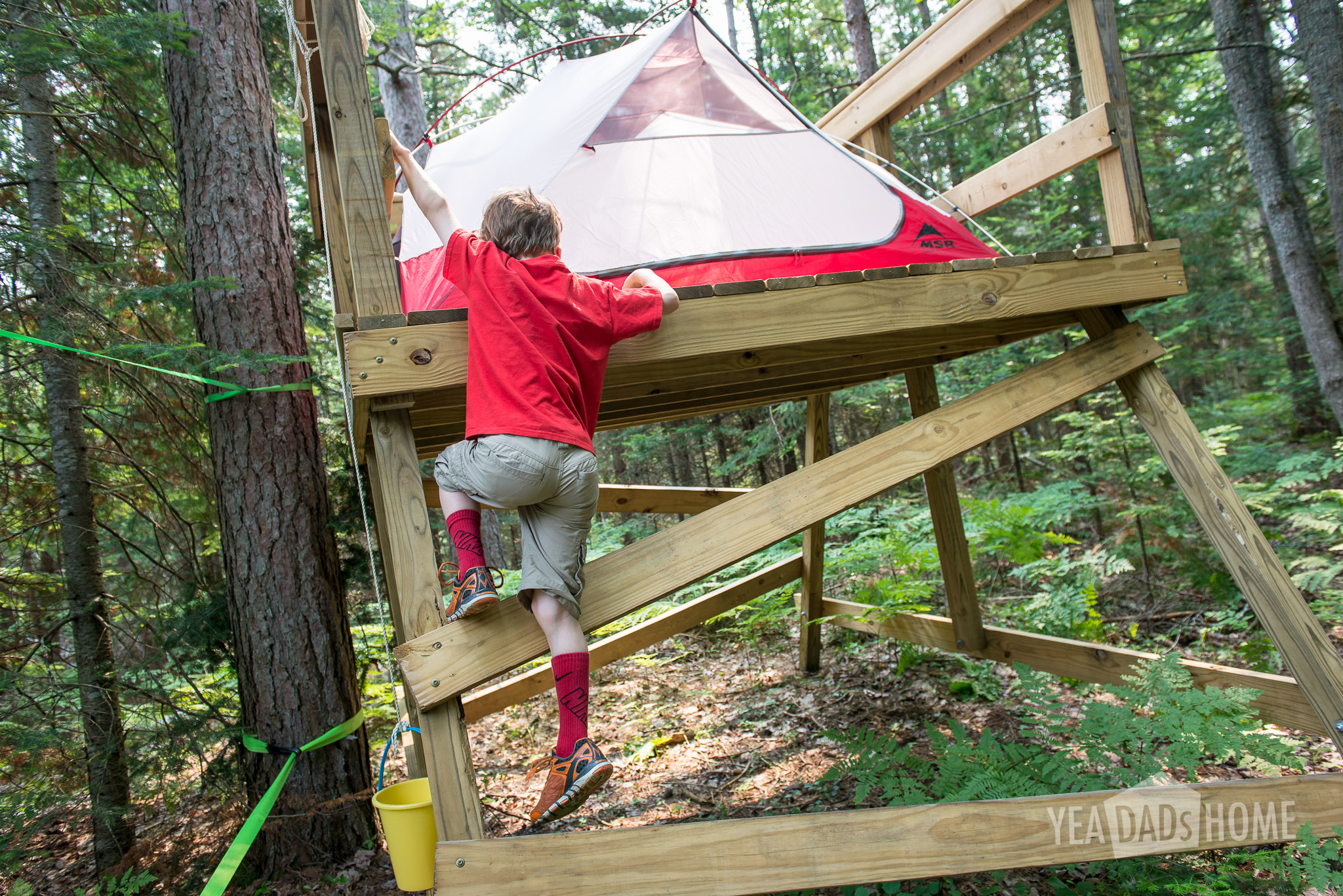
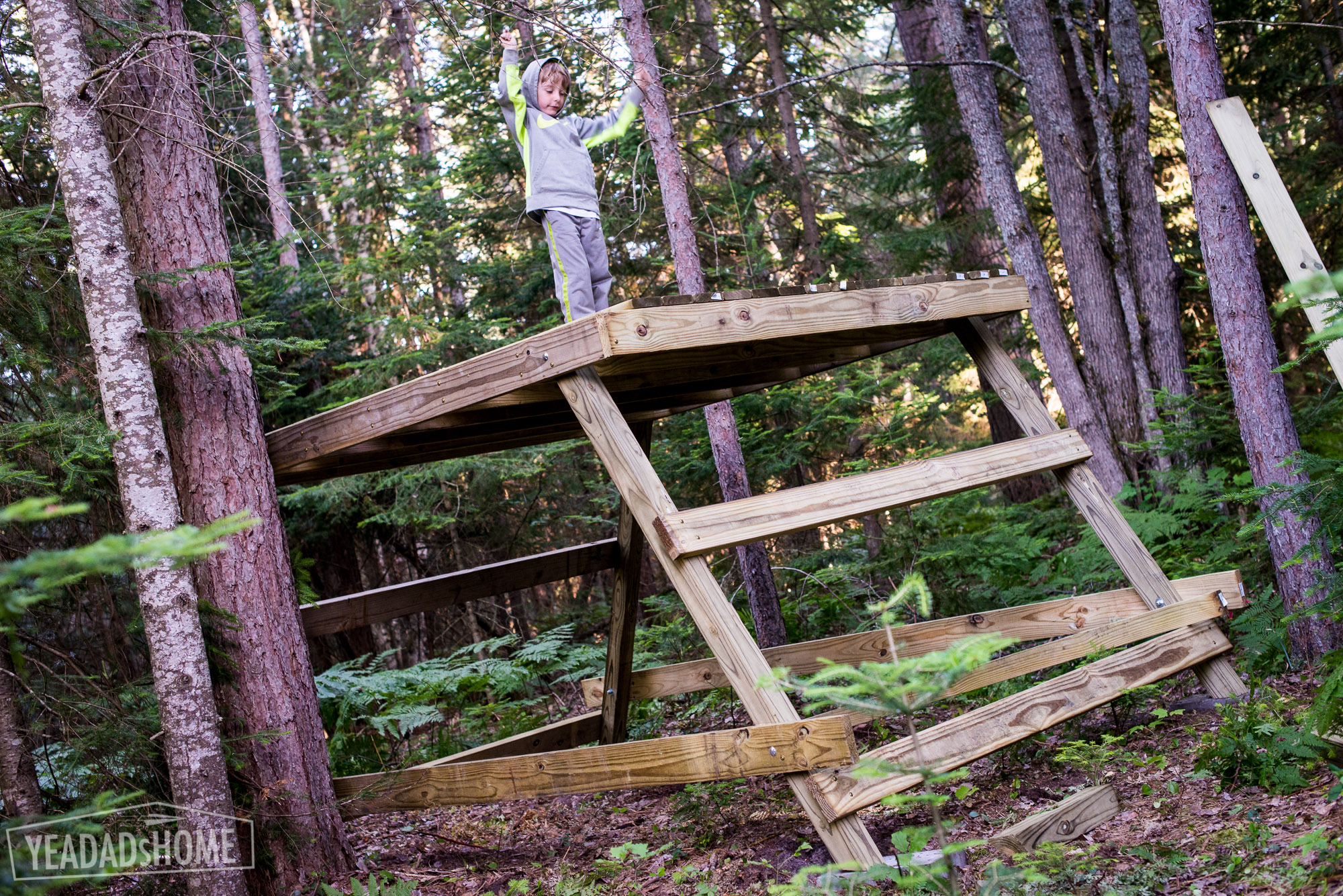
    As I started building, I was planning to add a ladder. My helper found it easy to climb the side supports, so we pulled that from our initial build plan.

    Treehouse-0268-2

    The two types of wood we considered were treated pine lumber or cedar. I did consider making the whole thing out of cedar because it is a lot lighter than pressure treated lumber. Cedar is more expensive. It was also tough to get the pieces I needed. My local lumber supplier didn’t have it on hand. So we decided to use pressure treated lumber. If you choose to use it wear a mask as you cut boards. It is really bad to inhale the dust. Also you may have to pre-drill a lot of the screw holes to keep it from cracking. On the plus side it is really light and does smell really nice as you build. It also can be painted or stained right away. Pressure treated lumber has to dry out before it will take as much paint or stain as you would want.

    Treehouse Tools and Materials

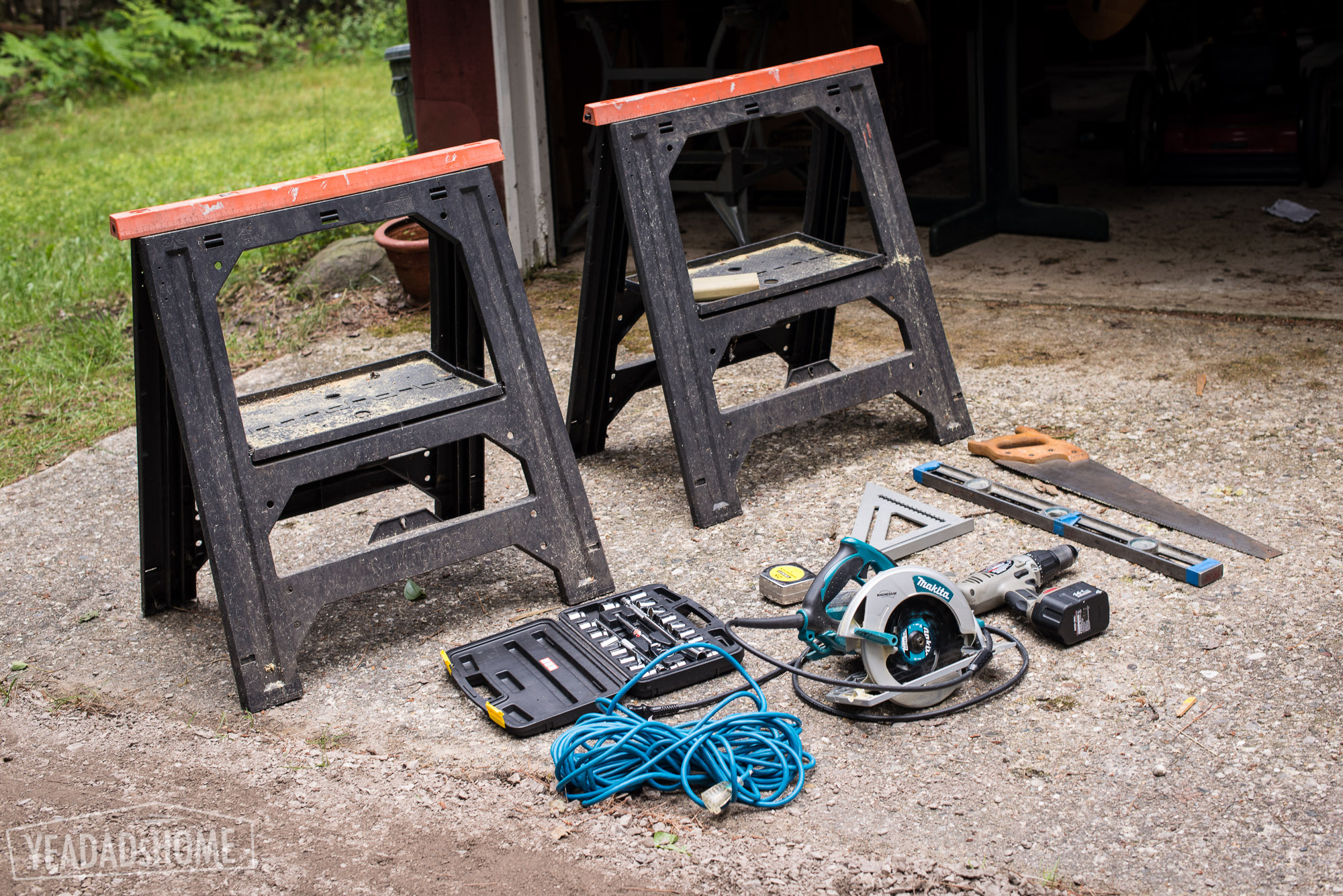
    For the project, I definitely needed these tools:

    • Circular saw
    • Extension cord
    • Hand saw
    • Cordless drill with a few batteries
    • A 1/2 inch drill bit that is 6 inches long
    • Two saw horses
    • Socket set
    • A hammer
    • Level
    • Builder’s square
    • Tape measure
    • Square shovel

    The only tool I wished I had, but didn’t for this project was a miter saw. It would have been a lot easier to cut the 4×4 pieces. My circular saw got me about half way through those, and I finished with the hand saw.

    An optional tool was a jigsaw. I used it to cut the deck boards at the ends of the platform. If I didn’t have this, I would have just cut those boards into a few pieces using straight cuts.

    Treehouse Tools
    Treehouse Tools

    Hardware

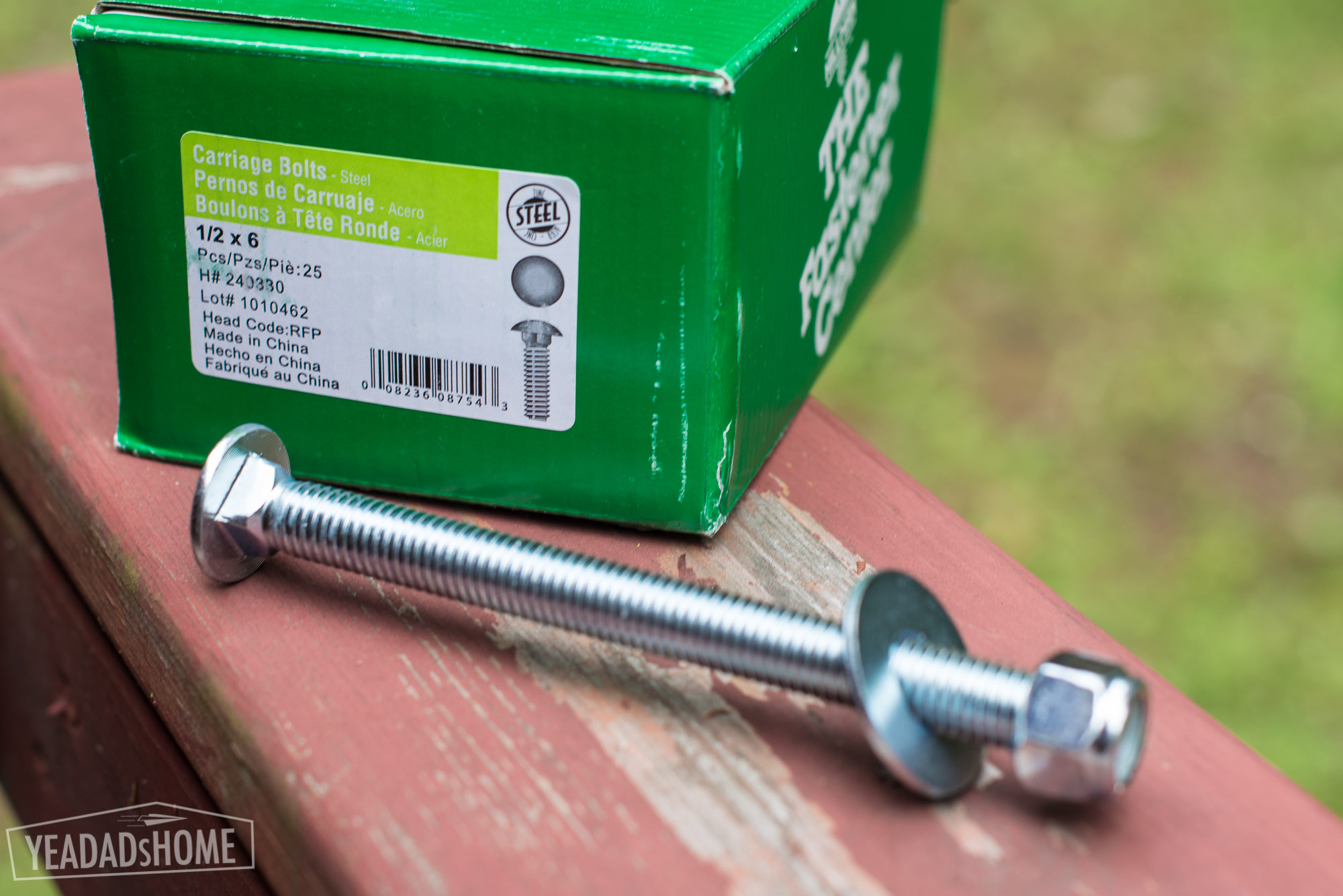
    12 ½ in x 6 inch, stainless carriage bolts (for the legs and side posts)
    12 stainless washers
    12 stainless locking nuts
    50 grk structural screws (for structural attachments)
    3 lbs deck screws (only for attaching deck boards)

    Stainless Carriage Bolts, Washer, Nut
    Stainless Carriage Bolts, Washer, Nut
    GRK Screws
    GRK Screws

    Pressure Treated Lumber

    2×6 8ft – 13 pieces
    4×4 8ft – 8 pieces
    2×6 12 ft – 2 pieces
    1×6 8ft deck board – 30 pieces


    Cinder Blocks

    8 x 16 x 4 inch solid blocks – 4 pieces


    Total Cost

    $500 = $400 lumber + $100 hardware


    Getting the Lumber

    For my project I was lucky that I found a local lumber yard that would deliver and pick good boards for me. From what I have read, this isn’t always easy to do. Before I found that lumber yard, I thought about getting a delivery from one of the big stores. The more I read their reviews though, the less I liked that option. It sounds like some pick the knurliest pieces for that kind of delivery. Another option I considered was renting a truck for the day, picking the wood myself, and hauling it home. If I hadn’t found the place I did, I would have spent a full day moving lumber. I would have gotten some other things that don’t fit in my car too, but still I saved a bunch of time by working with a local lumber company.


    Building the Treehouse

    Day 1

    Our first day we picked up materials. Choose a site. Then we laid out and leveled the block where the feet would rest.

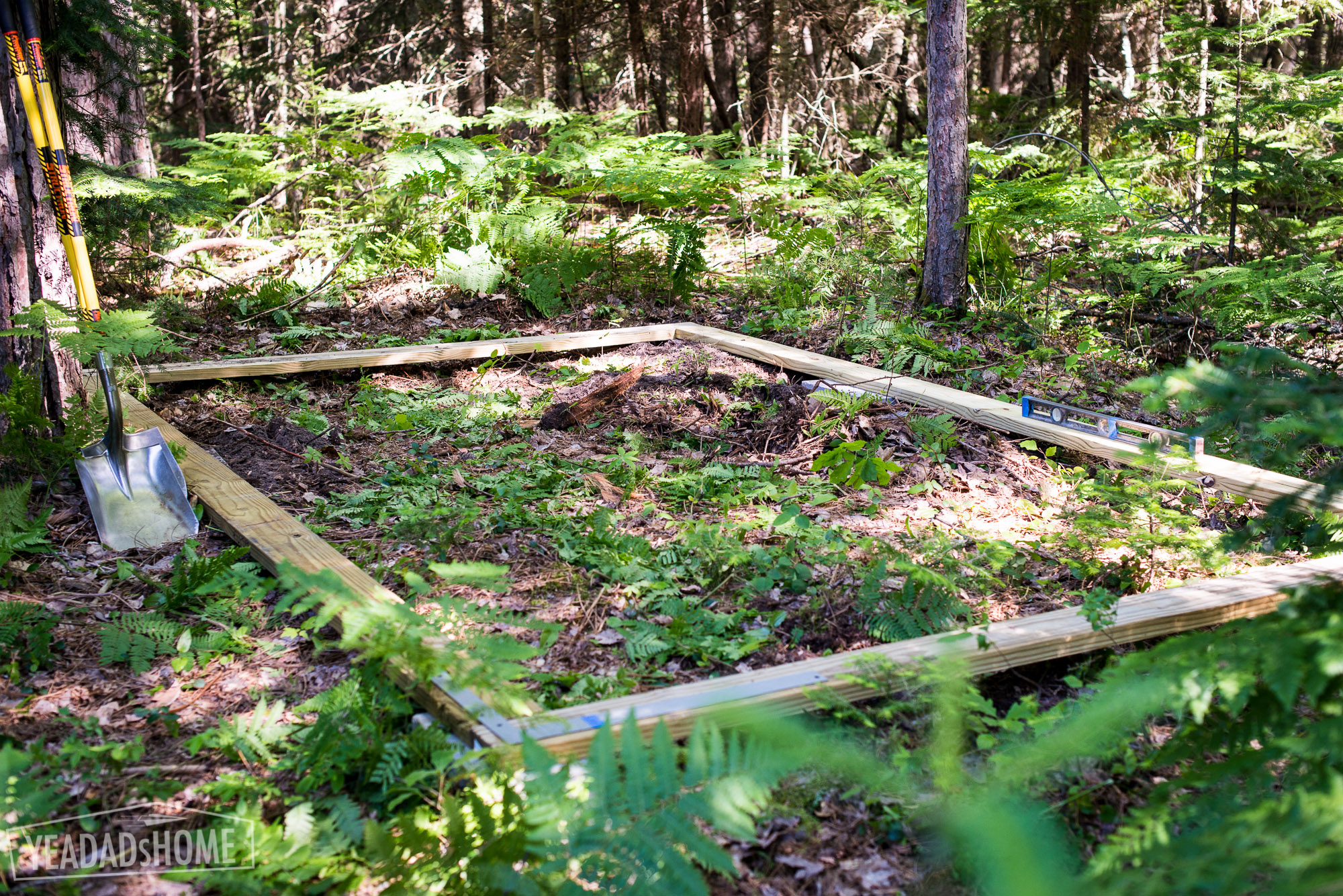
    To set the blocks. I used a few 12 foot and 8 foot boards to size up a 8×12 ft rectangle. I used a square shovel to dig holes for each that would level the blocks out. We have fairly sandy soil, and it had rained quite a bit, so this was pretty easy. You might need another tool if your ground is harder.

    Leveling Blocks For the Treehouse Feet
    Leveling Blocks For the Treehouse Feet

    Day 2

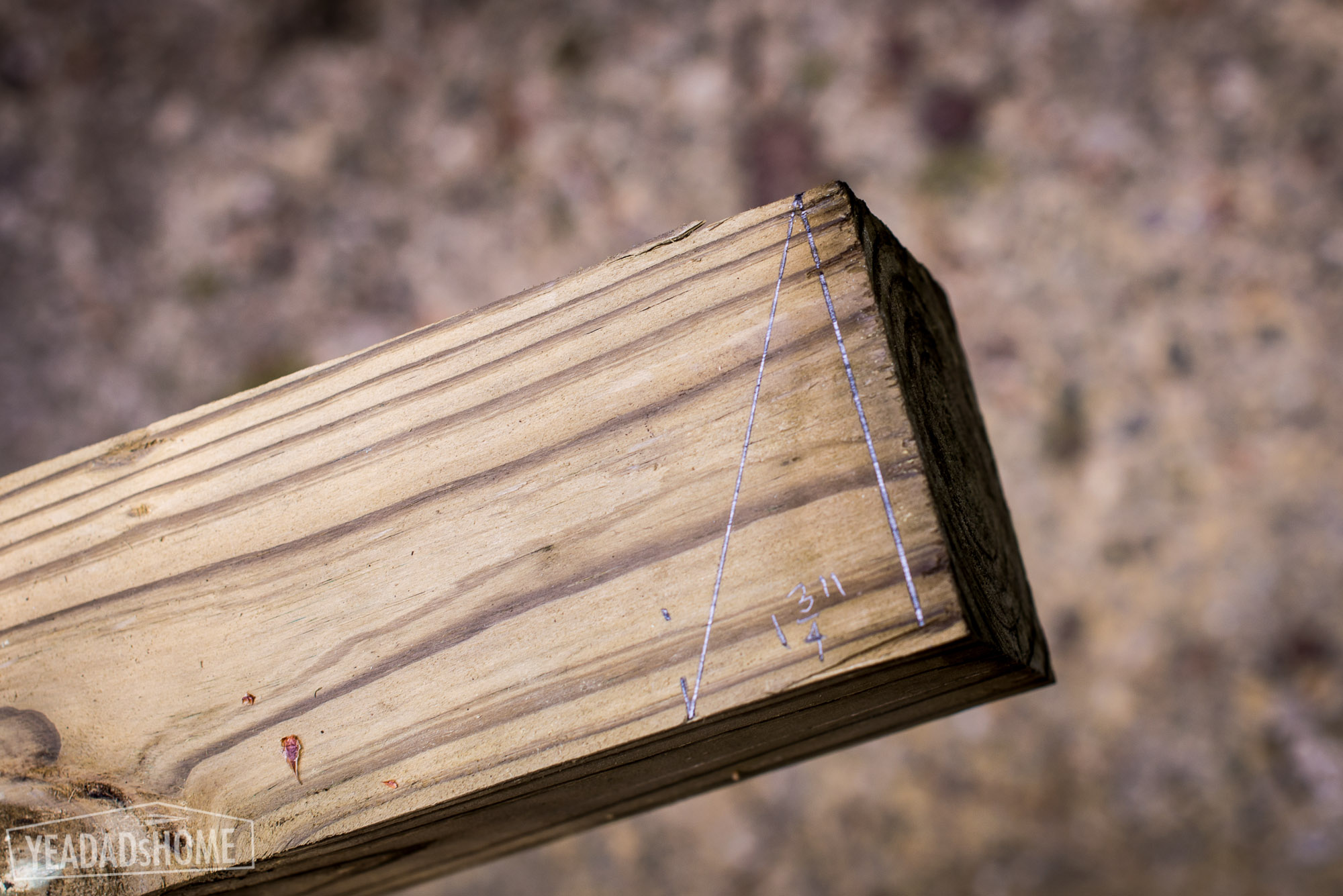
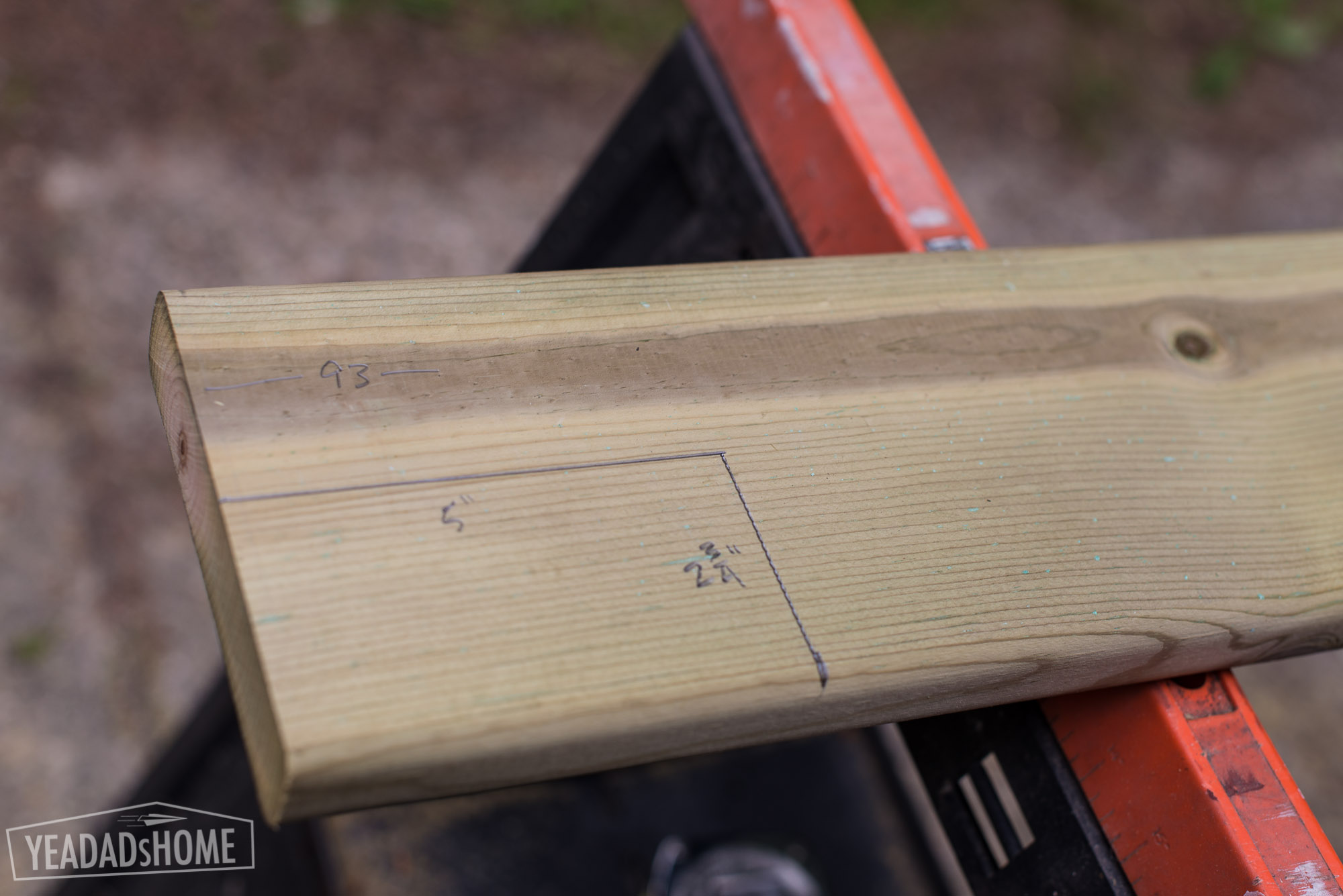
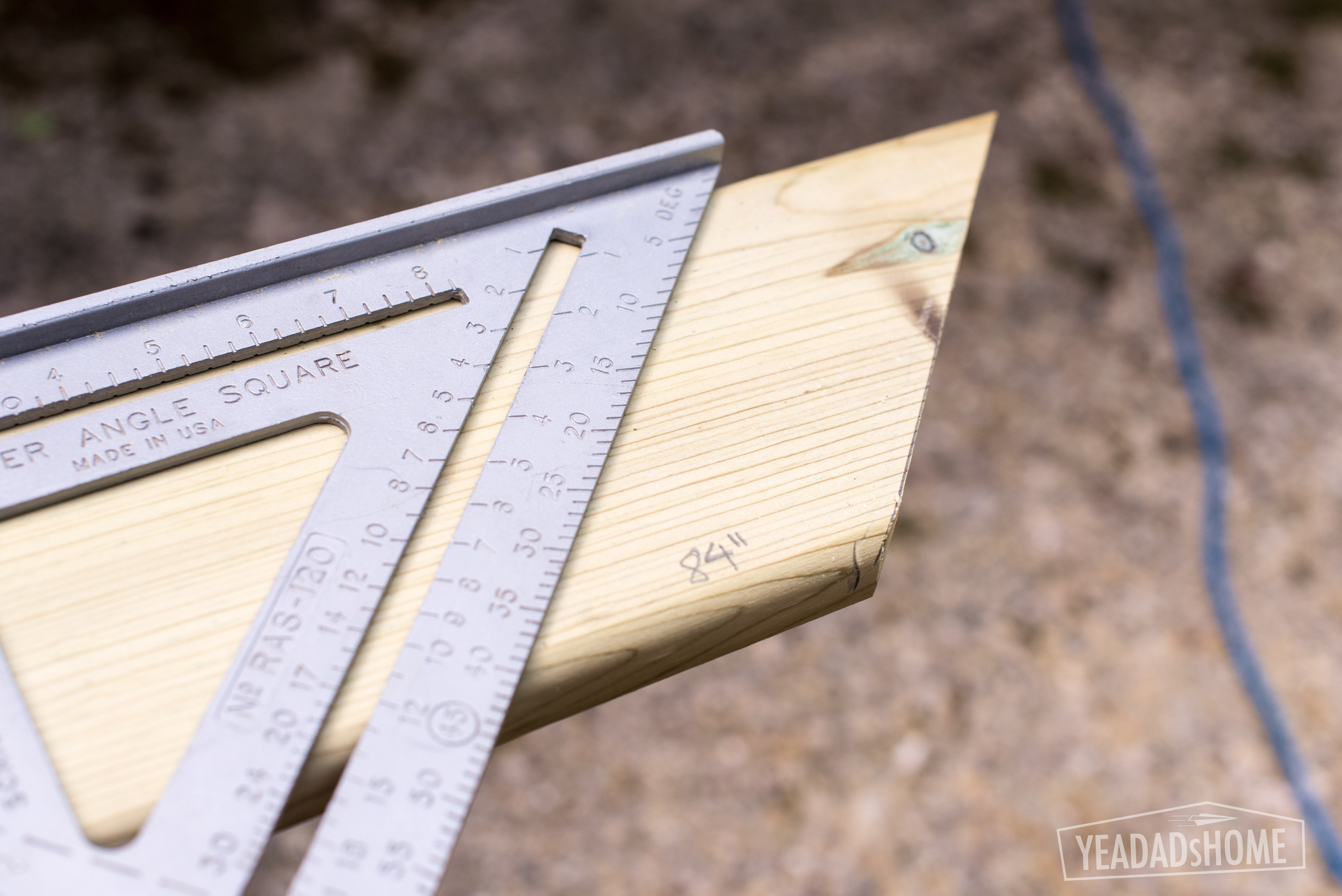
    To cut the legs, I measured 76 inches along 4 of the 4x4s and then marked a line that angles 1.75 inches from that mark.

    Marking Cuts for Treehouse Legs
    Marking Cuts for Treehouse Legs


    The platform measured 96 inches square, so we had two 2×6 pieces that measured 96 inches. The other joists were 93 inches.

    Measuring Edge of Treehouse Platform
    Measuring Edge of Treehouse Platform


    Treehouse Joists
    Treehouse Joists


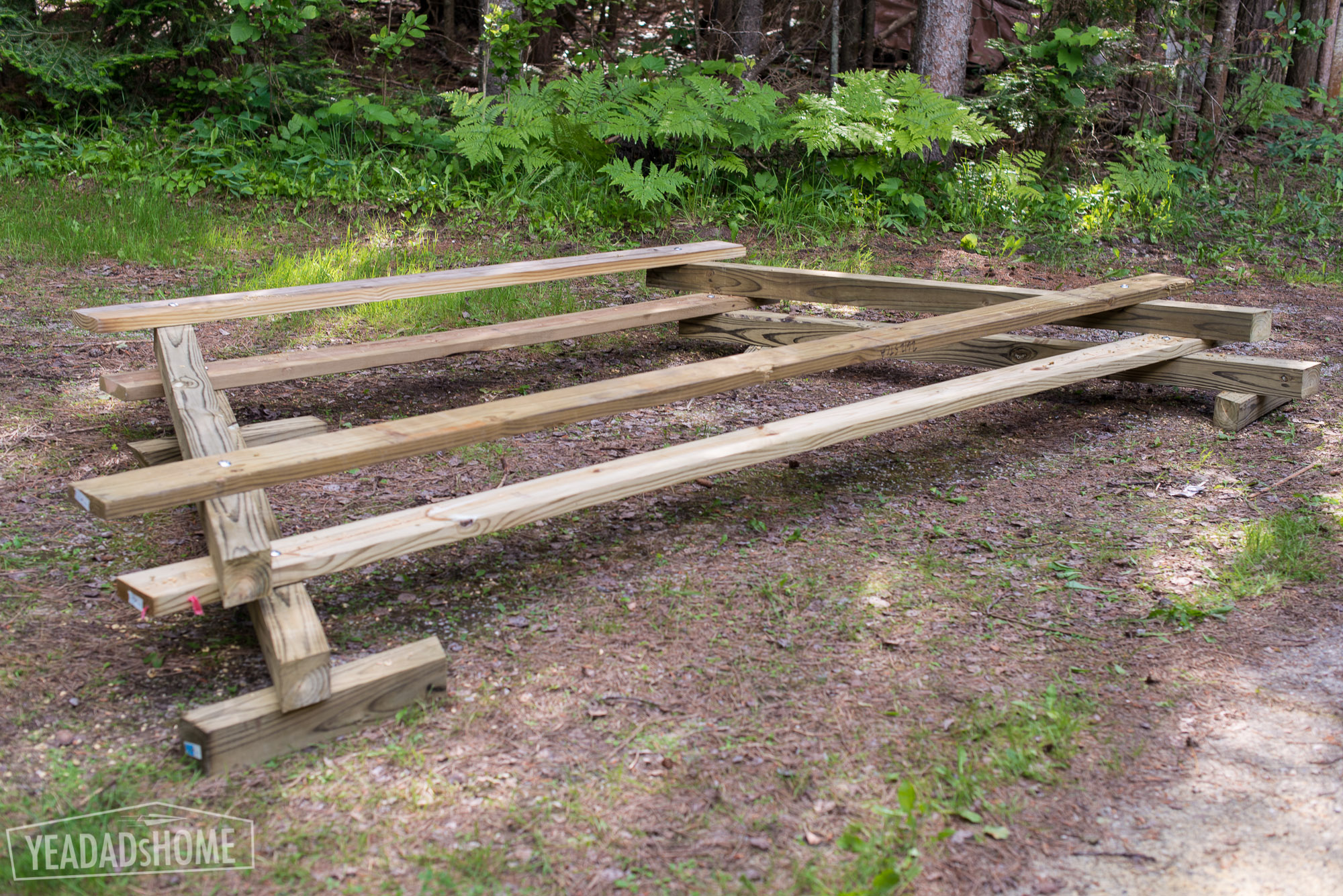
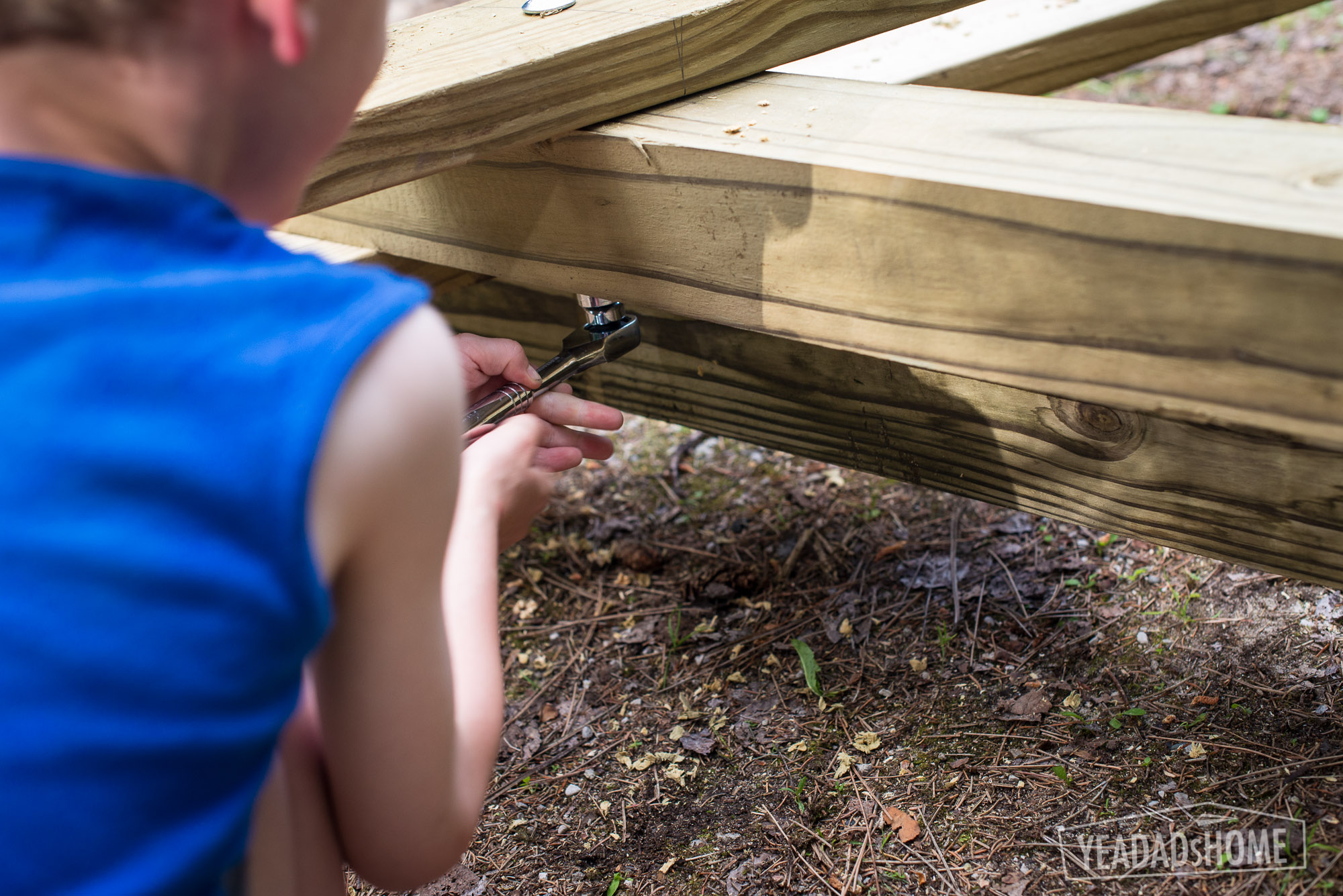
    To make sure I got the legs and treehouse ends exactly the same, we set the on top of each other. I screwed the boards together and then drilled holes for the bolts. We used a hammer to set the carriage bolts into place and then the socket set to tighten then nuts.

    Assembling Treehouse Legs
    Assembling Treehouse Legs
    Tightening The Bolts
    Tightening The Bolts

    Day 3

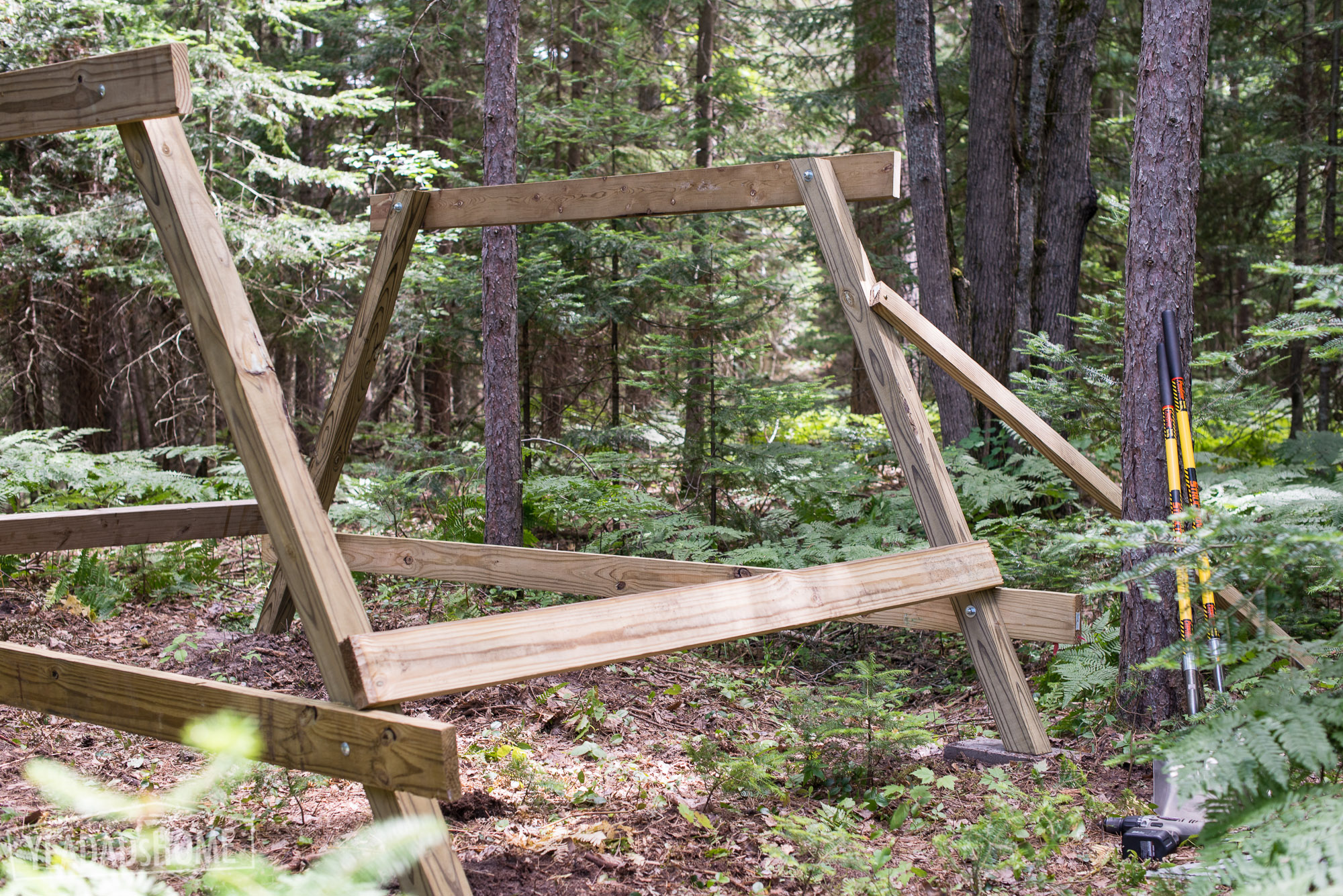
    The ends are the first wooden pieces to go into place. I used an extra pieces of lumber to prop  them up on the cinder blocks, and then I added the side supports on the angled side. The side supports were 8 foot long 2×6 boards. I didn’t cut those, but I did mark 93 inches on them, and used that measurement to line up the outside edge of the legs on the end pieces.

    Setting the Treehouse Legs in Place
    Setting the Treehouse Legs in Place

    Then I added the joists. In my plan legs were attached to two of the 93 inch pieces, and I then set the joists 15 inches from each end and then 15.75 inches apart. Here is a picture of that layout:

    Joist Layout
    Joist Layout

    I attached a deck board under the 2×6 pieces to help set the joists in place. If I wasn’t building on my own, I wouldn’t have needed that temporary piece.

    Support for Hanging the Joists
    Support for Hanging the Joists


    We set the deck boards on the platform, and secured them with a few of the 3 inch deck screws.

    Treehouse Platform in Place
    Treehouse Platform in Place


    Day 4

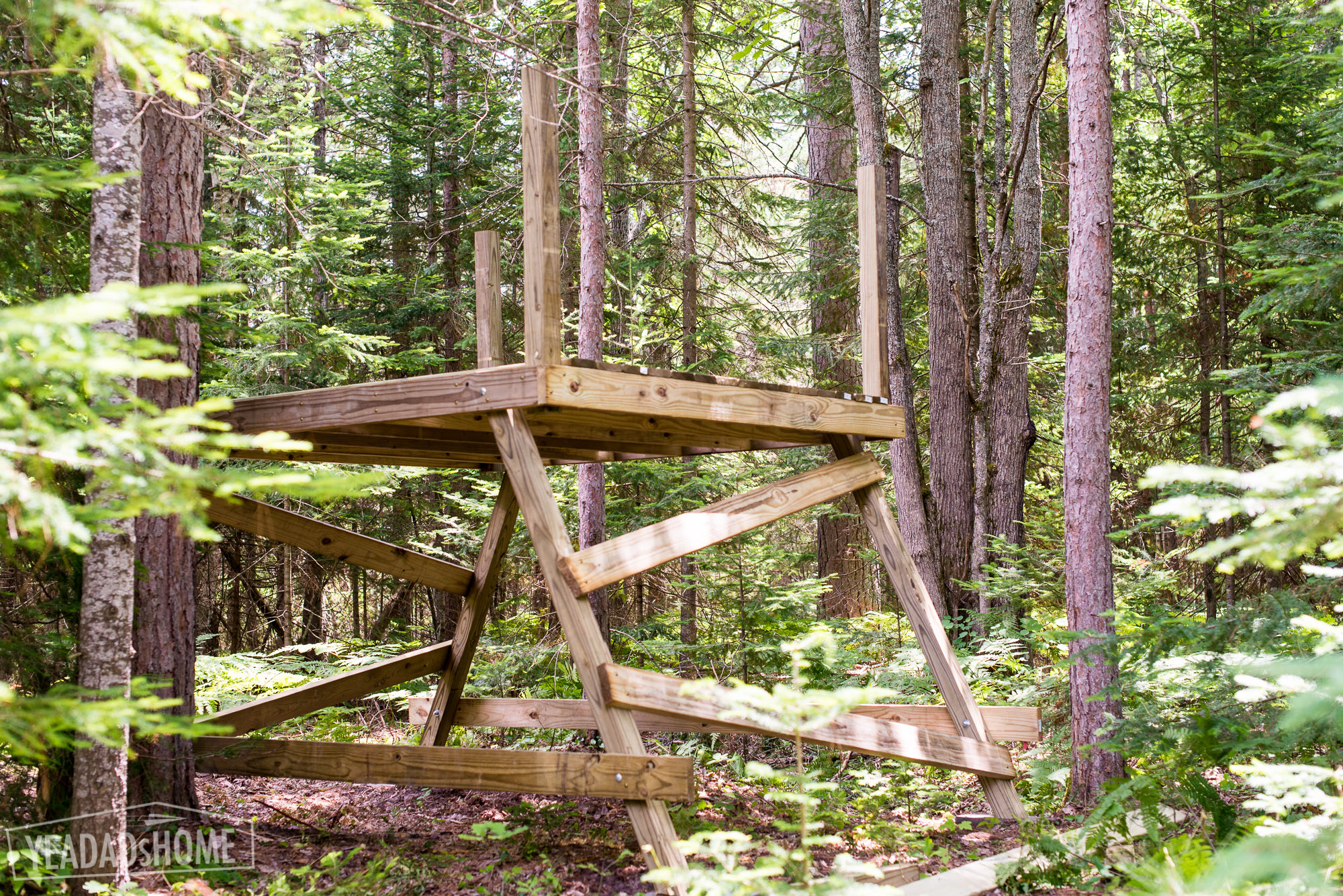
    Angling the side supports added stability. Then we added the railings. To keep things simple I cut the 4×4 pieces in half, so each was 48 inches. Then I attached them so that they sat 42 inches above the top of the 2×6 floor structure.

    Aligning the Side Supports
    Aligning the Side Supports


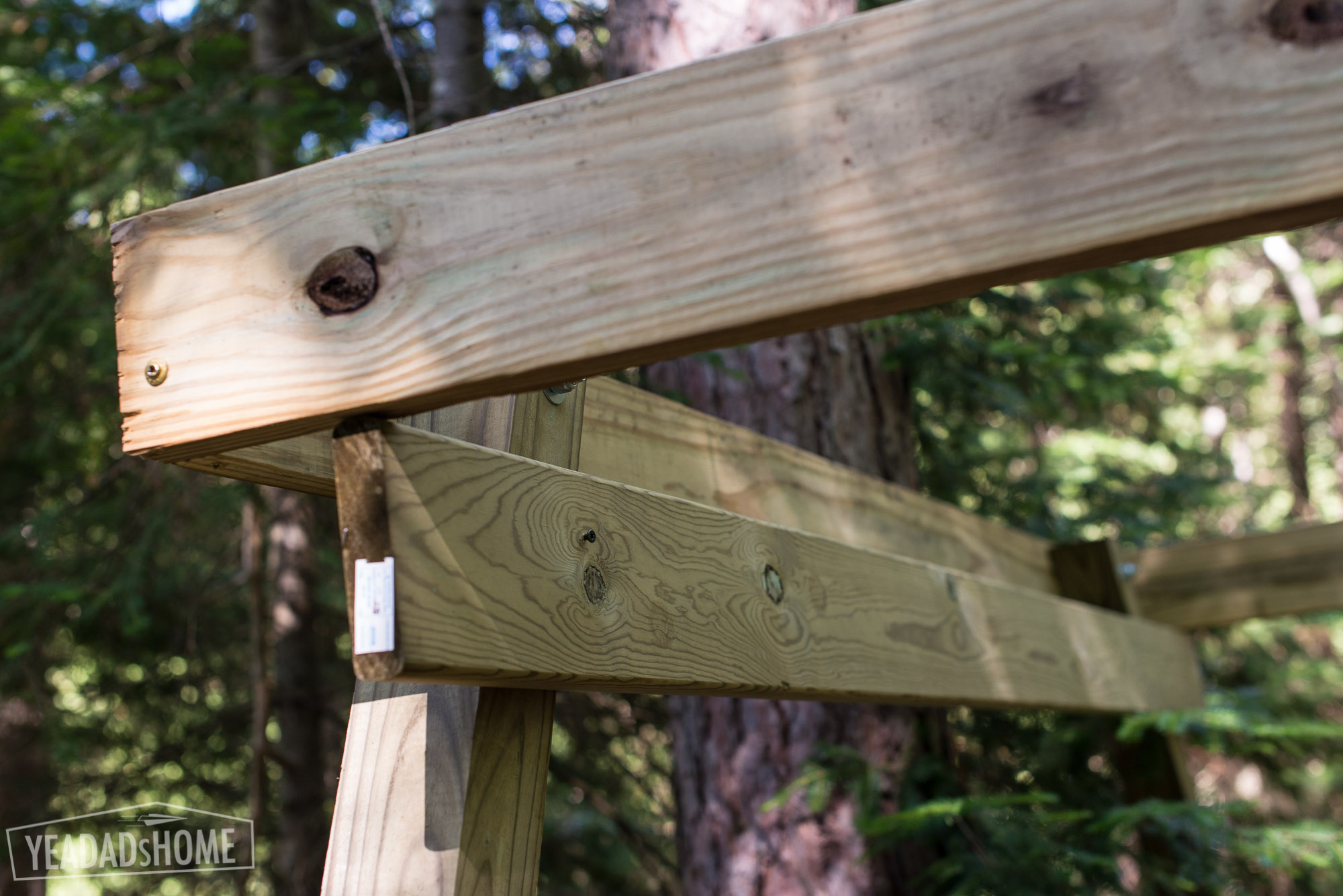
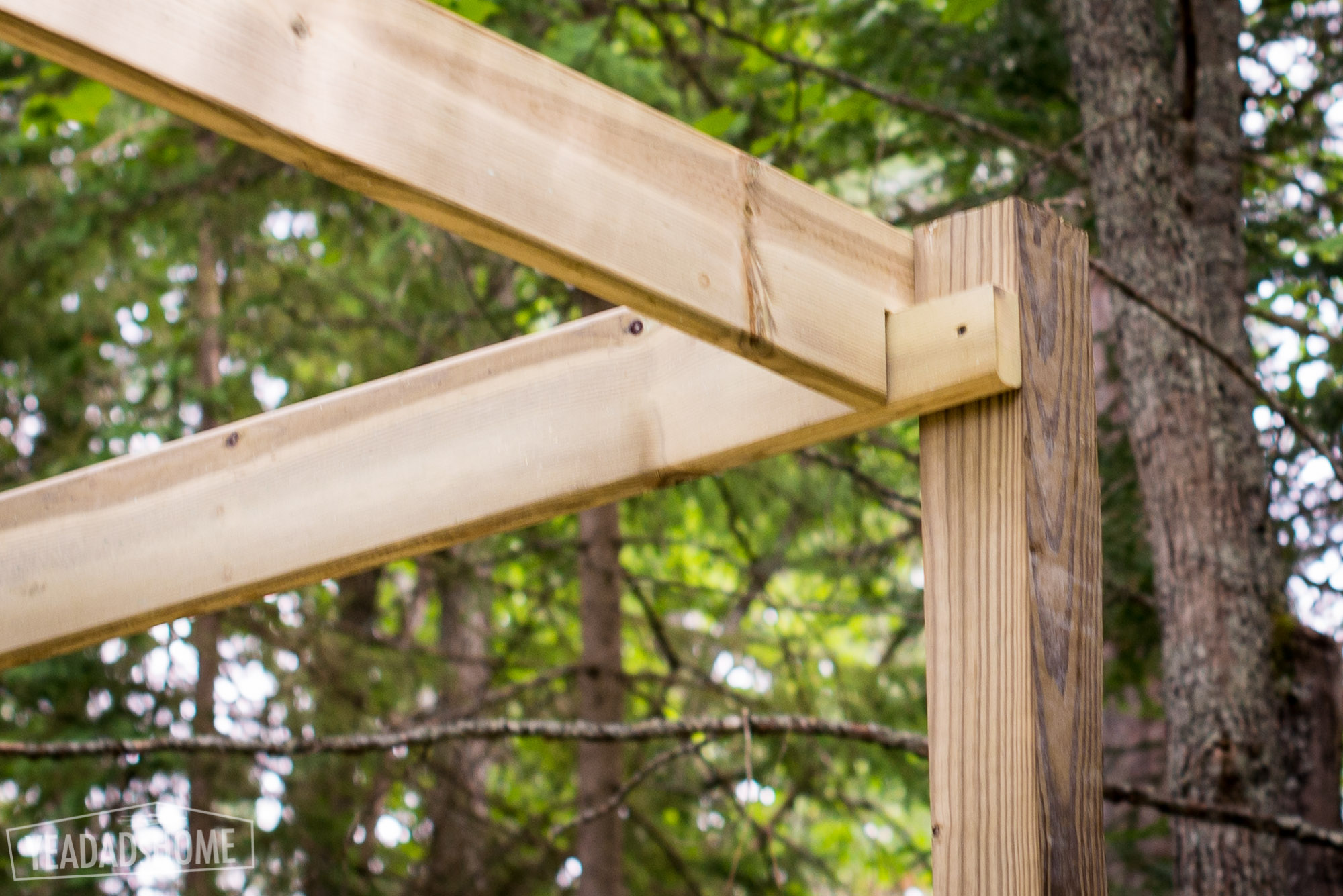
    For the inside railing pieces, I made notches so that they would fit together on at the corner posts.

    Treehouse Railing Notches
    Treehouse Railing Notches


    This is how the inside railings fit together.

    Inside Railings for Treehouse
    Inside Railings for Treehouse


    Then we added the top railings. I measured the inside corner and added a half inch.

    Treehouse Top Railing
    Treehouse Top Railing


    We added a middle post to firm things up. Those 8 foot 4×4 posts were not cut. I just pushed them up to meet the railing. I screwed them into place and then added a few bolts.

    how we built our simple treehouse
    Our Treehouse


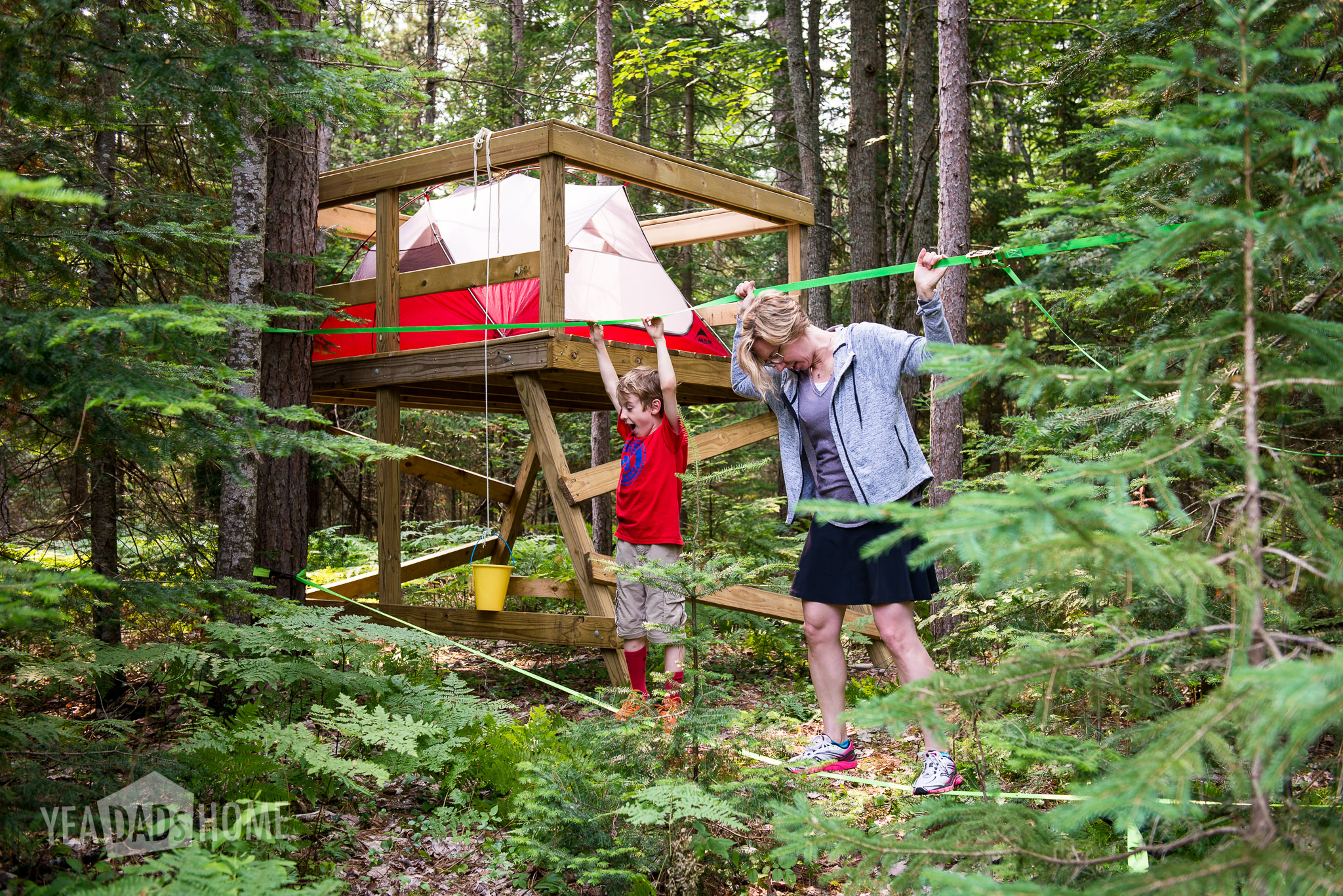
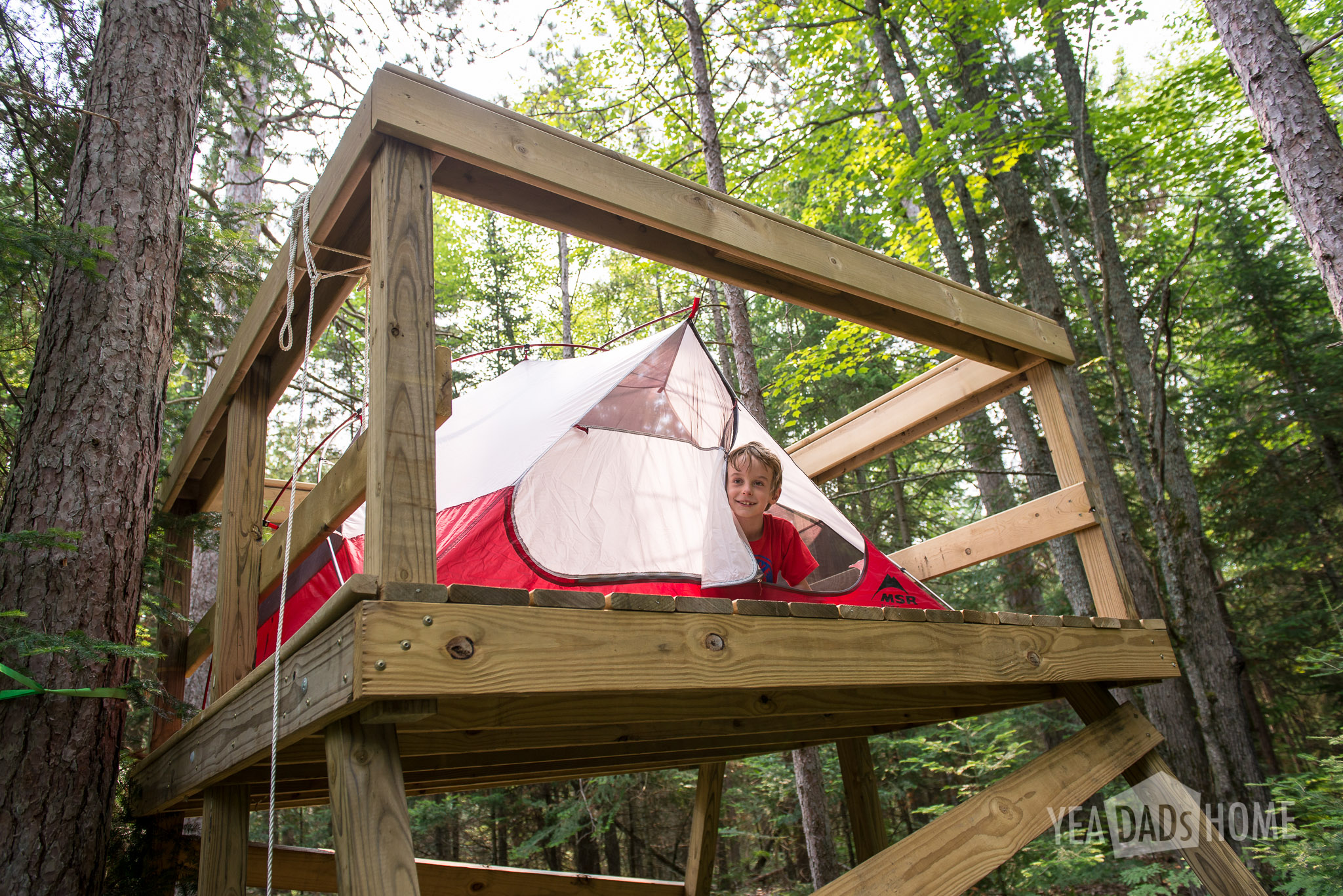
    This is where we completed our simple treehouse build for this year. A bucket on a nylon cord was a handy way to deliver mail, or carry things up/down.

    Treehouse Extras

    We bought a Hennessy Hammock to hang in ours. It has a bug net and you get in/out through the bottom, so there isn’t any risk of someone rolling out. The Explorer Ultralite Asym Classic model was the one that looked best for us. It comes with a snake skin that makes packing it up really quick.


    We bought a tent that fits on the platform. This MSR model was the one we picked. It fits on the platform, and it is light enough that we could use it for backpacking.

    https://www.rei.com/product/865347/msr-elixir-3-tent

    Treehouse-0256-2


    We added a slackfline this year. We string this from two tree near the treehouse to practice our balance. I wouldn’t anchor to the treehouse directly since that could move it off of its blocks.

    http://slackersline.com/product/classic-green/

    Treehouse-0274

  • Flying Arc Paper Airplane

    Flying Arc Paper Airplane

    Paper airplanes are a hit in our house, and this the one that we had fun with over the weekend. This flying arc paper airplane is similar to a design I found in The Great International Paper Airplane Book that we got a long time ago at the Smithsonian in DC. We modified ours to include stabilizers. On a rainy day they can burn some energy climbing stairs as we launch them over and over. Of course you can take a break from the stairs and decorate them too. We like to make a several at a time.
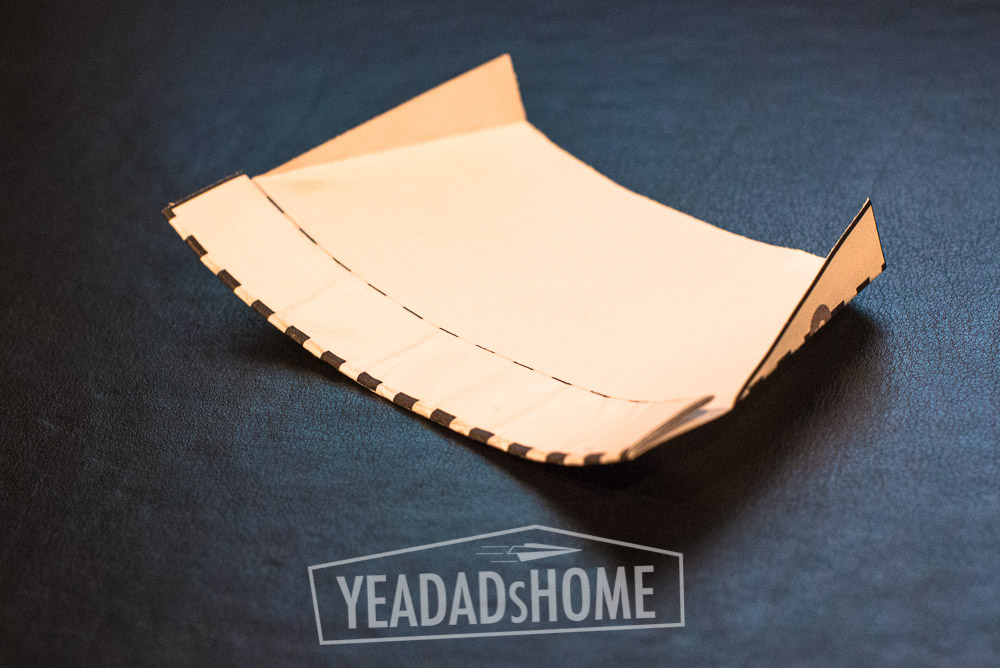
    The best part about this paper airplane is that you can modify it as you play and it will change how it flies. If you tilt the tail stabilizers, it will turn differently. You can also change how much lift it has by changing how tight the arc is. If the arc is really tight, very curved, it will descend more quickly. If the arc is slight, almost straight, it will try to climb. The fun is trying to figure out how much arc will make it glide for the longest.

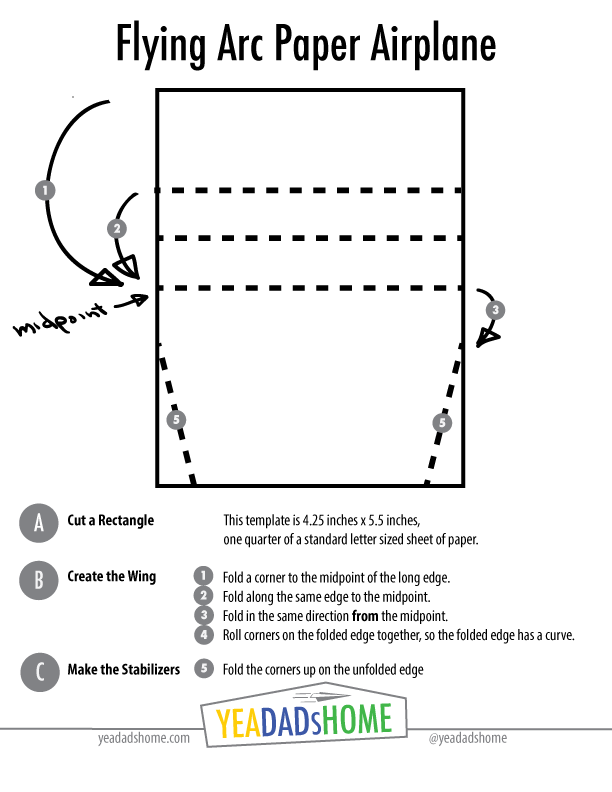
    This template shows the folds and steps. Once you get the hang of it, you can make four from a standard letter sized piece of paper. it works with a full size piece of paper too., although we have more fun when we have lots of flying arcs to launch.


    Tools and Materials

    • Paper
    • Scissors (optional)


    Instructions

    Cut a Rectangle

    • This template is 4.25 inches x 5.5 inches, the size of a quarter of a sheet of letter sized paper.


    Create the Wing

    • Fold a corner to the midpoint of the long edge.
    • Fold along the same edge to the midpoint.
    • Fold the thick edge in the same direction from the midpoint.
    • Roll corners on the folded edge together, so the folded edge has a curve.


    Make the Stabilizers

    • Fold the corders up at the unfolded edge. These are about 0.5 inches tall.


    Flying the Arc

    • The front of the plane is the folded edge. To launch this plane, you hold it in the middle of the back edge. Thumb and forefinger works well. Let the front drop a bit lower than the back. Then let go.
    • If the plane drops too fast, try straightening out the arc.
    • If the plane climbs and stalls, then climbs and stalls, try bending the arc a bit more.
    • You can also play with the stabilizer fins to make it turn at different angles or go straight.


    Flying Arc Paper Airplane Template

    This is just a guide with proportions that work well. You could make 4 of these from a standard sheet of paper. Click the graphic below for PDF of this template to print.


    Flying-Arc Paper Airplane--YeaDadsHome

    Pictures

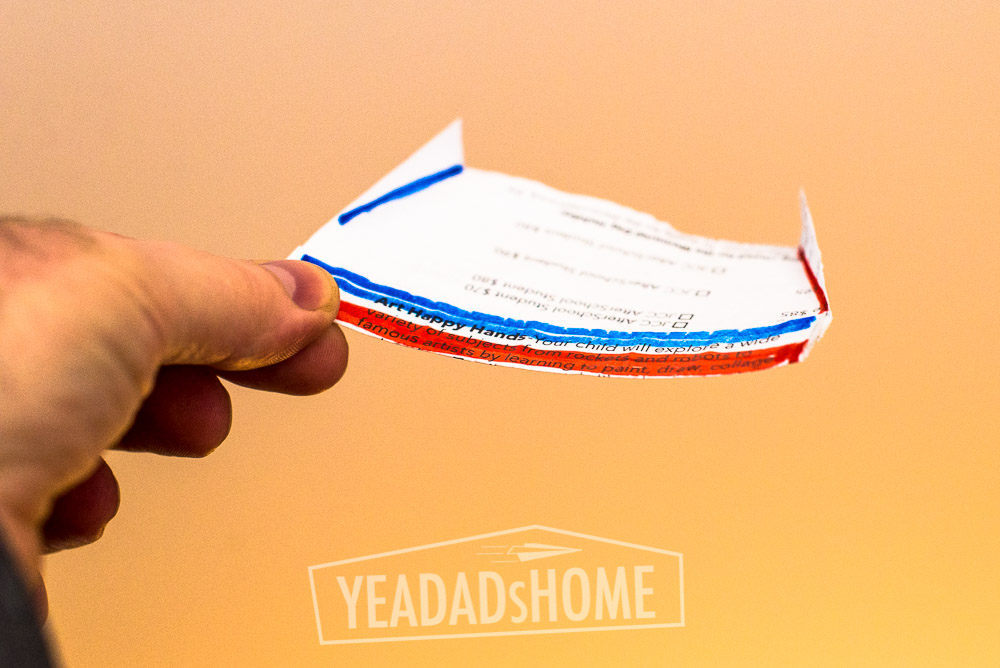
    This is how it looks fully assembled. We used scrap paper for this one. Usually that is pretty easy to find in our house. As you can tell, we also didn’t use scissors, we just creased the paper and tore it into the rectangle we needed.


    Flying Arc Paper Airplane - YeaDadsHome-9821


    Flying Arc Paper Airplane - YeaDadsHome-9851


    Flying Arc Paper Airplane - YeaDadsHome-9840


    This is a version made from the template. I started with the printed side down so I could see the dashed lines in the template as I folded.

    Flying Arc Paper Airplane

  • 3 Mistakes to Avoid When Molding Crayons into New Shapes

    3 Mistakes to Avoid When Molding Crayons into New Shapes

    Over the past few years we have collected a bunch of crayons. When we eat out we usually come home with three or four. So after a few years, our crayon collection was getting to the point where we were going to either find a bigger container or find a good use for them.


    The Crayon Collection

    extra crayon bin  |  yeadadshome.com

    Last week we got a great idea from a friend. We could melt them into fun new shapes. She even had a mold shaped like large lego bricks like this Lego Ice Bricks Tray. The lego shapes in the mold are about one inch by almost 2 inches. There are a lot of silicone molds out there, but we liked the lego shape. Following are the steps we followed along with 3 mistakes to avoid when molding crayons into new shapes.
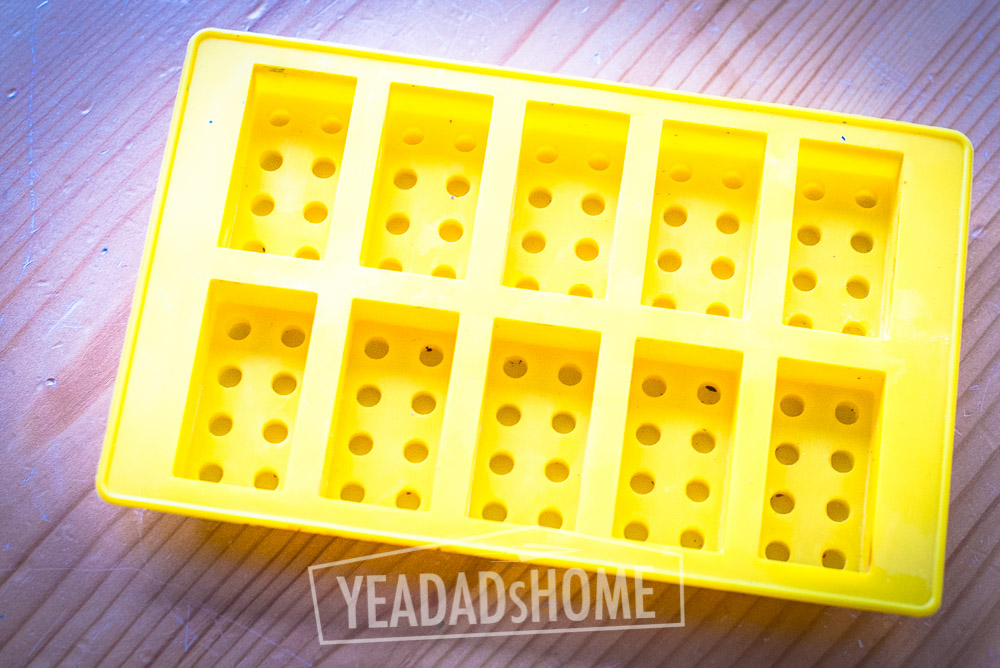
     

    Silicone Lego Mold

    lego crayon mold  |  yeadadshome.com


    Steps for molding crayons into new shapes:

    1. Collect a bunch of crayons to use. We used about 40 crayons per batch.
    2. Find a silicon mold or two with fun shapes.
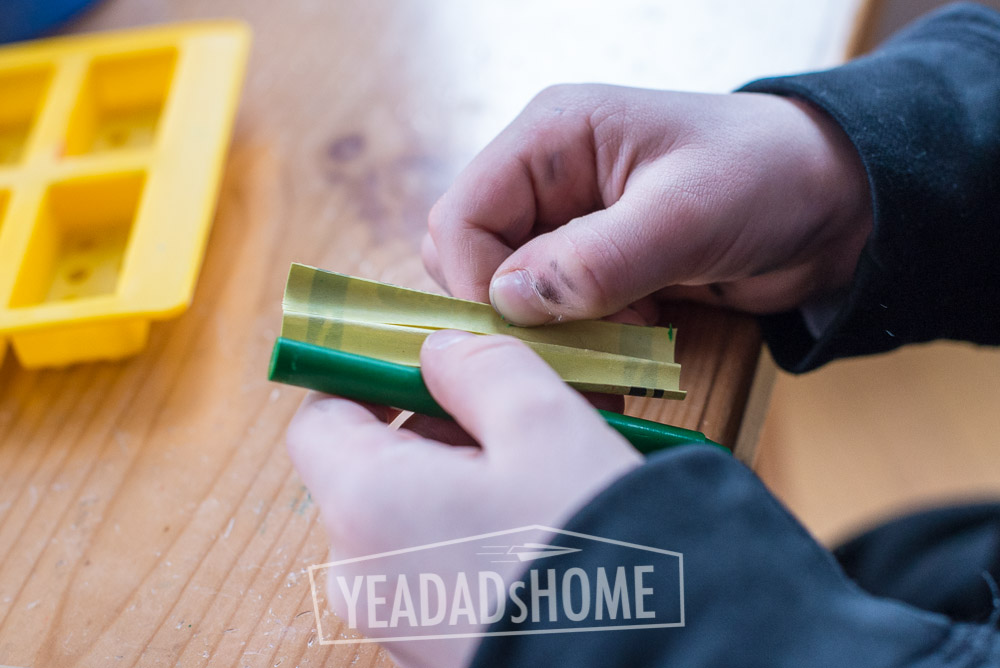
    3. Cut and pull the paper off.
    4. Snap the crayons into pieces.
    5. Put the filled mold on a baking sheet, and fill the molds with crayon bits.
    6. Heat the oven to 275F (we used 250 on convection).
    7. Melt the crayons for 15 minutes.
    8. Cool for an hour and then 15 minutes in the freezer.
    9. Pull the mold away from the sides of the newly molded crayons, and then push them out.


    Mistake 1 – Hastily Cutting Paper Will Cost You

    Adults need to do the crayon wrapper cutting. This is the most dangerous step. I am all for letting kids learn how to responsibly use a knife, but the paper on crayons is tricky to cut. Set up a cutting board and make sure your kid audience is on the side you are cutting from. For a right-hander like me that is on my left as I cut to the right. As we were making ours, I wanted my son to see. He set up on the right, and his enthusiasm pulled him a bit close and he bumped me. I only got nicked. I can see how a rolling crayon or a bump could turn this project into a lot more drama than necessary.

    The crayon paper does need to get cut all the way through. When we cut lightly it took way longer to pull the paper away. In our second batch, I cut deeper into the crayon, and the paper came away more quickly. I liked the quick paper removal. The project moved more quickly, and my son did all the paper removal. When I lightly cut the paper, he passed them back to me.


    This is How Crayon Paper Looks When Cut Through

    making crayon molds  |  yeadadshome.com


    Mistake 2 – Smashing the Pieces Isn’t Necessary

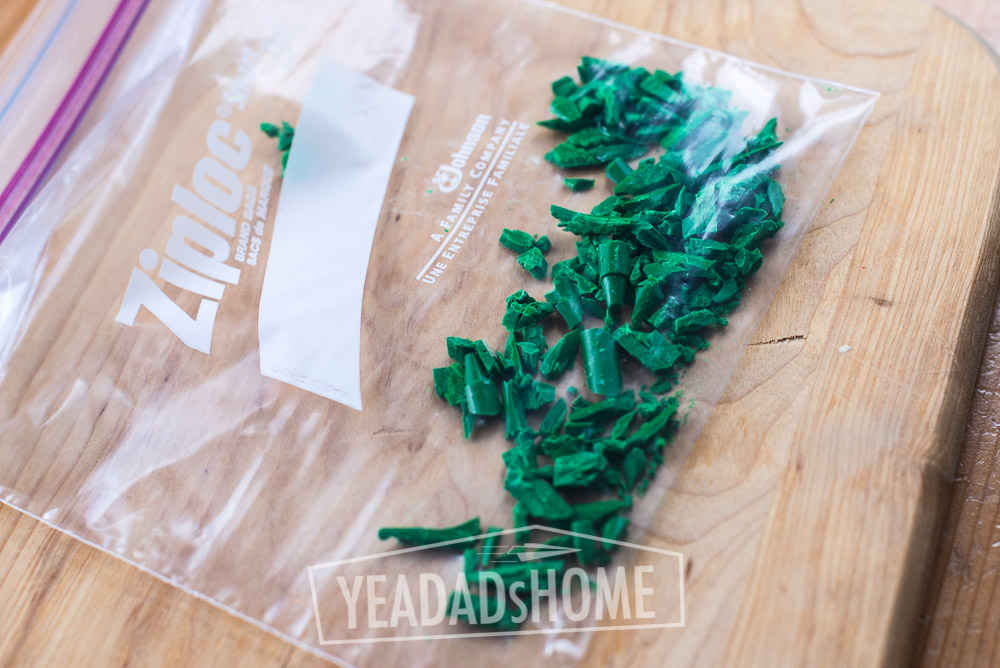
    In our first first attempt we got a bit carried away and smashed the crayons. A ziplock bag and a hammer did the trick. Pounding is fun. We enjoyed the method, but it wasn’t needed. Also smashing them in a ziplock makes really small flecks that are hard to control. We made a combination of solid color molds and used the extra pieces for multi-color molds. The flecks cause problems for both types. For the solid ones the flecks get stuck in the wrong molds and are really difficult to get out. In the multi-color ones the flecks just melt and the combination becomes one dominant color. In our case purple overwhelmed the other colors. Smashing the crayons into flecks works for other kinds of art projects, but it is much easier to snap them.


    Smashed Pieces

    smashing crayon pieces  |  yeadadshome.com

    For our molds, snapping the crayons into thirds was all that was necessary, and my son could do most of that. It isn’t as much fun as pounding them with a hammer, but it makes better molds. Just try to make the pieces a similar size if you can. The big chunky toddler crayons caused their own issues. They took longer to melt than the normal sized ones, and that can lead to the next issue.


    Snapped Pieces Work Better

    crayons snapped into chunks  |  yeadadshome.com


    Mistake 3 – Over Cooking Multiple Colors Makes One Color

    On our first attempt we left the molds in the oven for 18 minutes. We had small pieces, and they were melted in about 15 minutes, but we wanted our molds to be really filled. Once the crayon flecks melted down there was a lot of extra space in our solid color molds, so we added chunks to fill them up. Anyway it took a few more minutes. By that time our multi-colored mold with purple flecks turned dark purple.

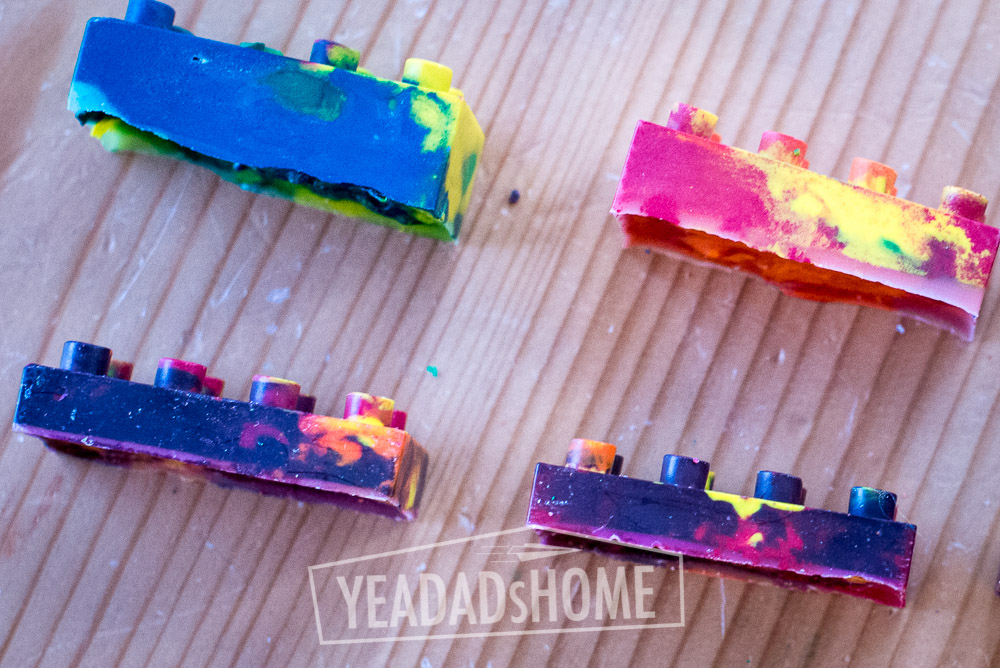
    In our second attempt we snapped the crayons by hand into chunks rather than using smashed pieces, and these bigger chunks melted in 15 minutes. I did use a wooden skewer to poke a few bubbles as I took them out of the oven. That combination of time (15 minutes), temperature (275F), and size of chunks made the marbling of colors we wanted in the multi-color molds.


    Colors in Over Cooked Molds (Bottom) Were Overwhelmed by the Purple

    crayon molds  |  yeadadshome.com


    The project was a lot of fun, and our pile of old crayons is a bit smaller. In total made 20 lego shaped crayons over the weekend. We might pull this out next time we plan a birthday party. They would make fun party favors.

    finished crayon molds  |  yeadadshome

    crayons molds | yeadadshome.com

  • Paper Helicopter Template

    Paper Helicopter Template

    When I was a kid we bought The Great International Paper Airplane Book at the Smithsonian in DC. It had several cool designs. The paper helicopter template that it included was one of my favorites. It was different from other paper airplanes, and fairly simple to make. Creating a paper helicopter requires a pieces of paper, a few easy cuts, and a few  folds.

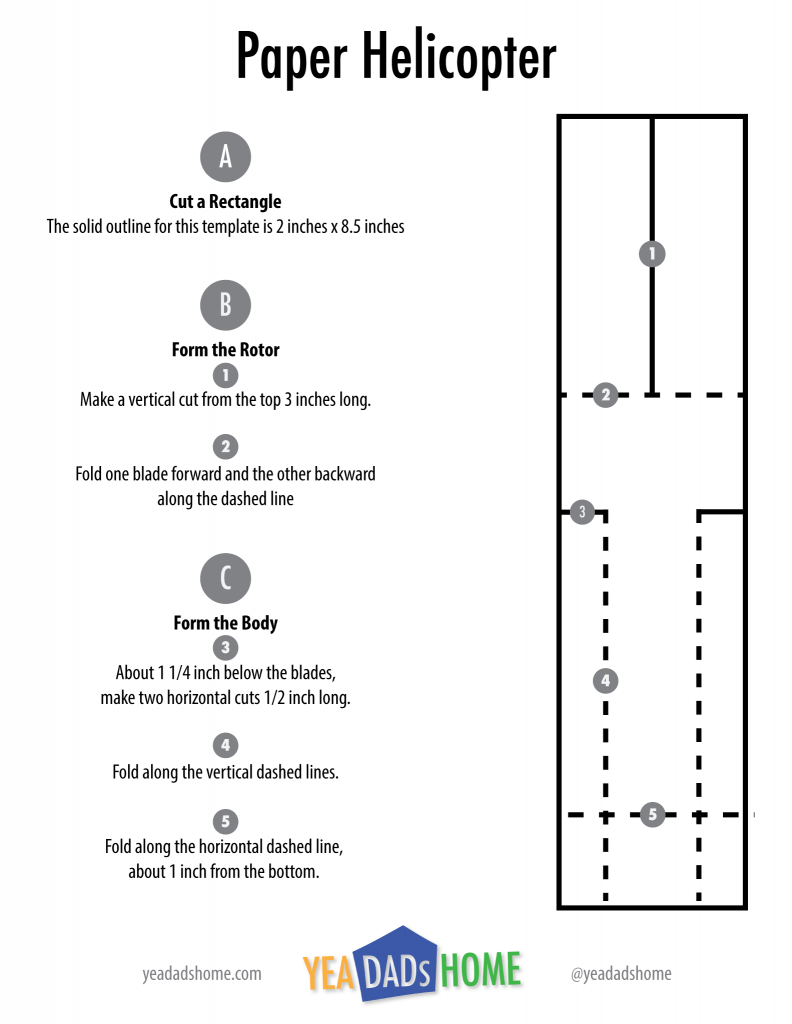
    Over the years I have tuned the helicopter design a bit. Following is a template with the dimensions that we prefer to use. The “blades” spins faster than the original design. The template has one helicopter plus instructions. Once you get one made, you will see how you could cut 5 out of one horizontal sheet of paper. If you are really careful, you can even tear the cuts. I have done that at a few wedding rehearsals when we needed to entertain kids.

    The best part is paper that paper helicopters can be flown, then adjusted, and then decorated. We like to make a few with longer “blades” then a few with shorter ones. A quarter inch shorter in length makes a difference to the amount of spinning they do. That is a fun experiment. For decoration, you can draw different stripes on the “blades” to see what happens. Helicopters are super fun to drop from a high place.  It turns out that getting to a high place requires a lot of trips up/down the stairs.

    Tools and Materials

    • Paper
    • Scissors (optional)

    Instructions

    • Cut a strip of paper 2 inches x 8 1/2 inches.
    • Make a vertical cut 2 1/2 inches long into the rectangle. Then fold the rotor blades, one forward and one back.
    • Make 1/2 inch cuts horizontally, about 1 1/4 inch below the rotor blades.
    • Fold the sides of the body in along those 1/2 inch folds.
    • Fold about 1 inch up from the bottom. 

    Paper Helicopter Template

    This guide has proportions that work well. Click the graphic below for PDF of this template to print.

    YDH-Paper-Helicopter-Template


    Pictures

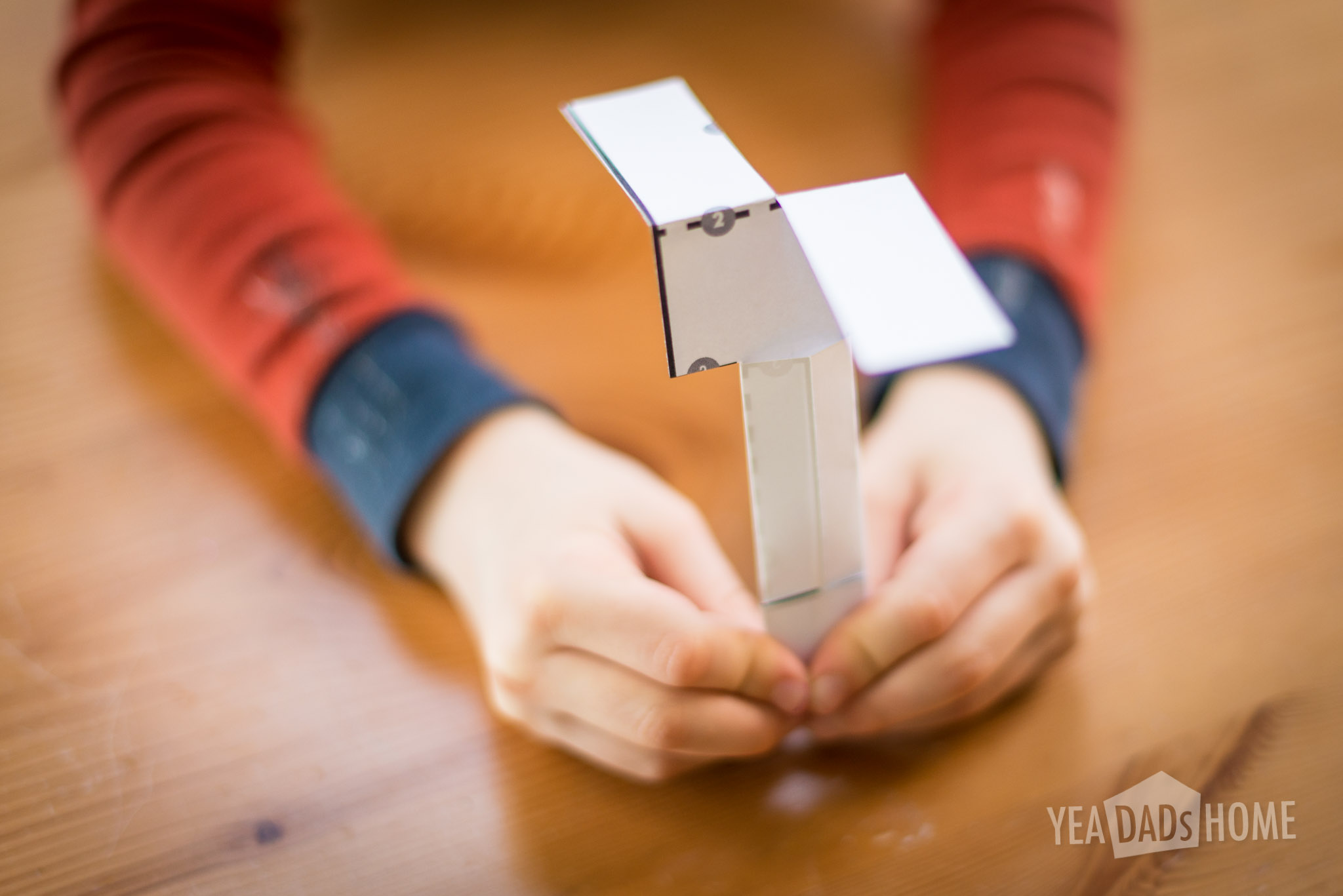
    This is how it looks fully assembled.

     paper helicopter-5808

    Stripes on the rotor blades have a cool effect.


    paper helicopter-5815

    Dropping from a high place is the most fun.

    paper helicopter-9883

  • Mr Owl Tootsie Pop Homemade Valentines

    Mr Owl Tootsie Pop Homemade Valentines

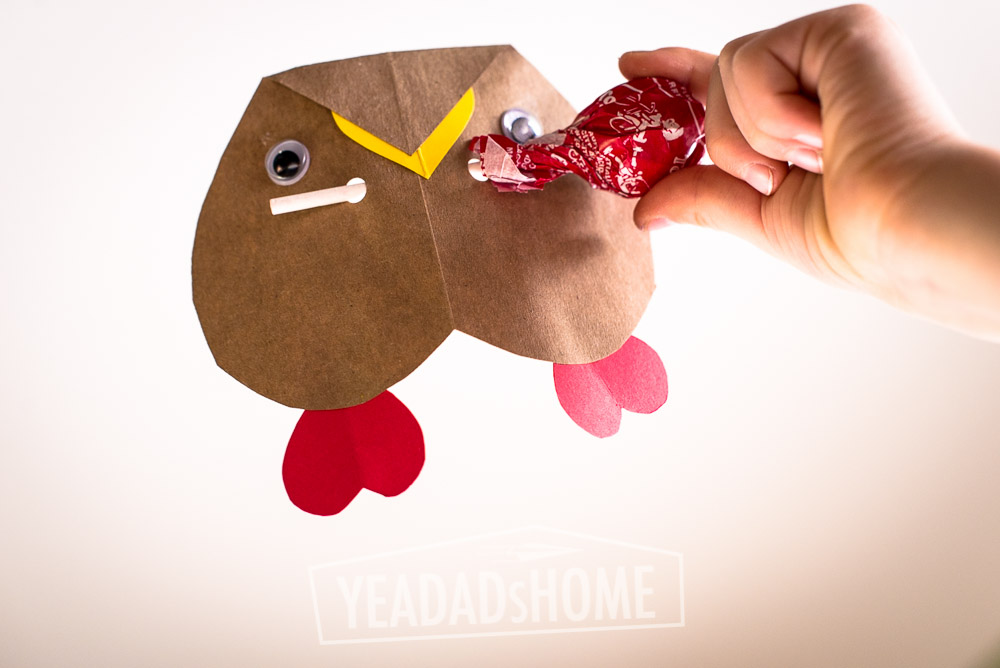
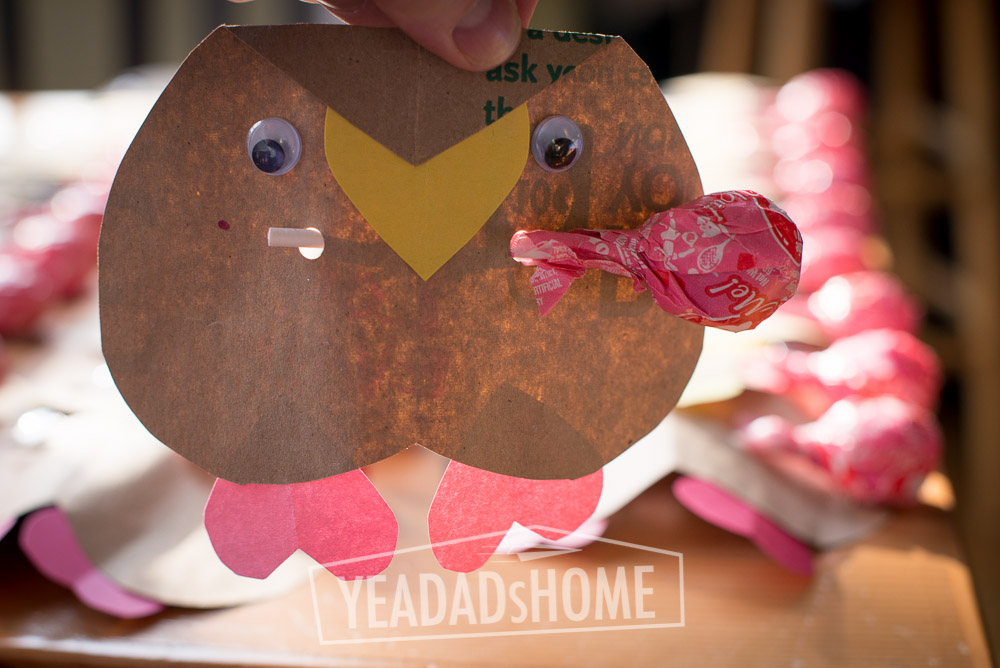
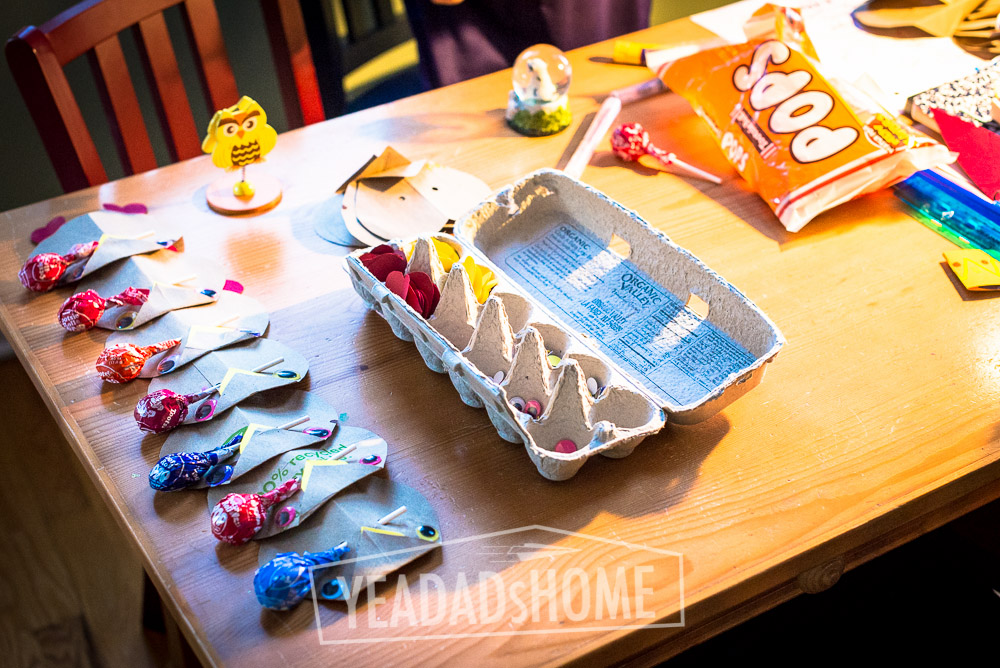
    We make homemade valentines, and last year we made these Mr Owl Tootsie Pop Valentines. I liked these because it gave my son a chance to be crafty. He got to cut some of the hearts. He was in charge of the glue stick, and he did the writing on the back. They were a bit of work to make, but they weren’t super hard. We made about 36 of these so that my son had enough valentines for kids in his class, a few friends in other classes, and a few teachers. I am pretty sure the adults were the only ones that recognized Mr Owl. That commercial used to run a lot during cartoons when I was a kid. I haven’t seen it much recently. Could be that we skip those with the DVR though. Everyone enjoyed the Tootie Pops. Did you know they are nut free and gluten free? Just heard that from Mr Owl.

    Tools and Materials

    • Scissors
    • Hole Punch
    • Glue Stick
    • Brown Paper Grocery Bags. A standard bag should make about 18 owl bodies.
    • Colored Construction Paper. We picked yellow and pink.
    • Googly Eyes
    • Tootsie Pops
    • Scotch Tape

    Instructions

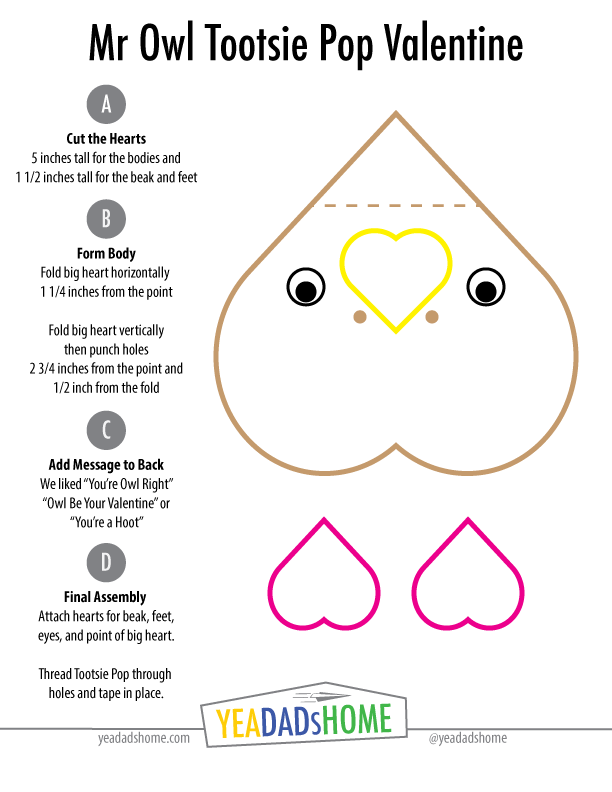
    1. Cut hearts for the beak (yellow) and feet (pink or purple) from construction paper. Each should be about 1.5 inches wide and tall.
    2. For the bodies, cut five inch wide strips from brown paper grocery bags. Fold these in half down the long side, and cut heart shapes that are about 5 inches tall.
    3. Fold the big heart horizontally about 1 1 /4  inch from point. The side with the folded point is the front.
    4. Fold the big heart vertically punch a hole just above the point and 1/2 inch from the fold. These holes hold the Tootsie Pop.
    5. Add a message to the back. We picked “You’re Owl Right” to ours, but you can pick any owl pun (your a hoot, owl be your valentine, etc) that you like.
    6. For the beak, glue one smaller heart onto a larger brown paper heart, under the folded point of the big heart.
    7. For the feet, glue two smaller hearts at the bottom of a brown paper heart. We like them glued on the back.
    8. Glue on googly eyes
    9. Thread a Tootsie Pop through each. We taped them in place on the back so they stayed in place

    Template

    A bit of variation is fun. We had a variety of sizes of hearts, but it does help to have a reference for the pieces. Click the graphic below for PDF of this template to print.

    Mr-Owl-Tootsie-Pop-Valentine

    Pictures


    Let me know if you have questions about how to make these or if you have other ideas for homemade valentines. Anyone with a social media account can comment below.

  • Lego Crazy Contraptions

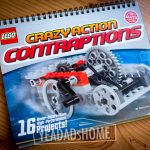
    Lego Crazy Contraptions

    We are playing with legos today. I really like this lego crazy contraptions set. We have been building the lego city kits for a while, and have been finding that those are fun (we have a lot of them), but don’t leave much room for creativity.

    This set has parts (axels, gears, wheels, elastic bands) and ideas for all sorts of machines. Once you get one built, my son found it really fun to change them up. This is how I remember legos. So far our favorites were the wind up car that uses a crank, gears, and elastic bands to power a mini car.  We also spent a few hours playing with zip line machines. We have lots more to build. The lego crazy contraptions set is rated from 7-13 yrs.

    We got this set as a gift, but you can find them at our local toy store Building Blocks.